
FieldFlag features
Everything a site visit needs, on one map.
Record findings on a map, customize what you collect, and hand over a finished report.
Start for free. No credit card required.
RecordMark every finding on the map, on site.
Pins and shapes
Use a pin for one spot and a shape for an area. Each one gets a number on the aerial photo of your site.
Photos
Add photos to a marking, from the camera or your gallery. Each keeps its place, date and time.
Voice notes
Record a voice note on a marking instead of typing, and play it back at the office.
Custom form fields
Add text, number, choice, yes or no, and date fields, so your crew records the details your work needs.
Works offline
Open a site once with signal and it works anywhere after that. Your markings sync automatically when you are back online.
Your location on the map
The map shows where you are standing, so you mark the right spot and find it again later.
OrganiseCustomize FieldFlag to fit your work.
Custom marking types
Create your own types for each site, each with a name, a colour and an icon, such as Dead tree or Leaking valve.
Site borders
Draw your site's border on the aerial photo. The map opens on your site and stays there.
Projects and sites
Group your sites into projects, and see all the sites of a project on one map with their marking counts.
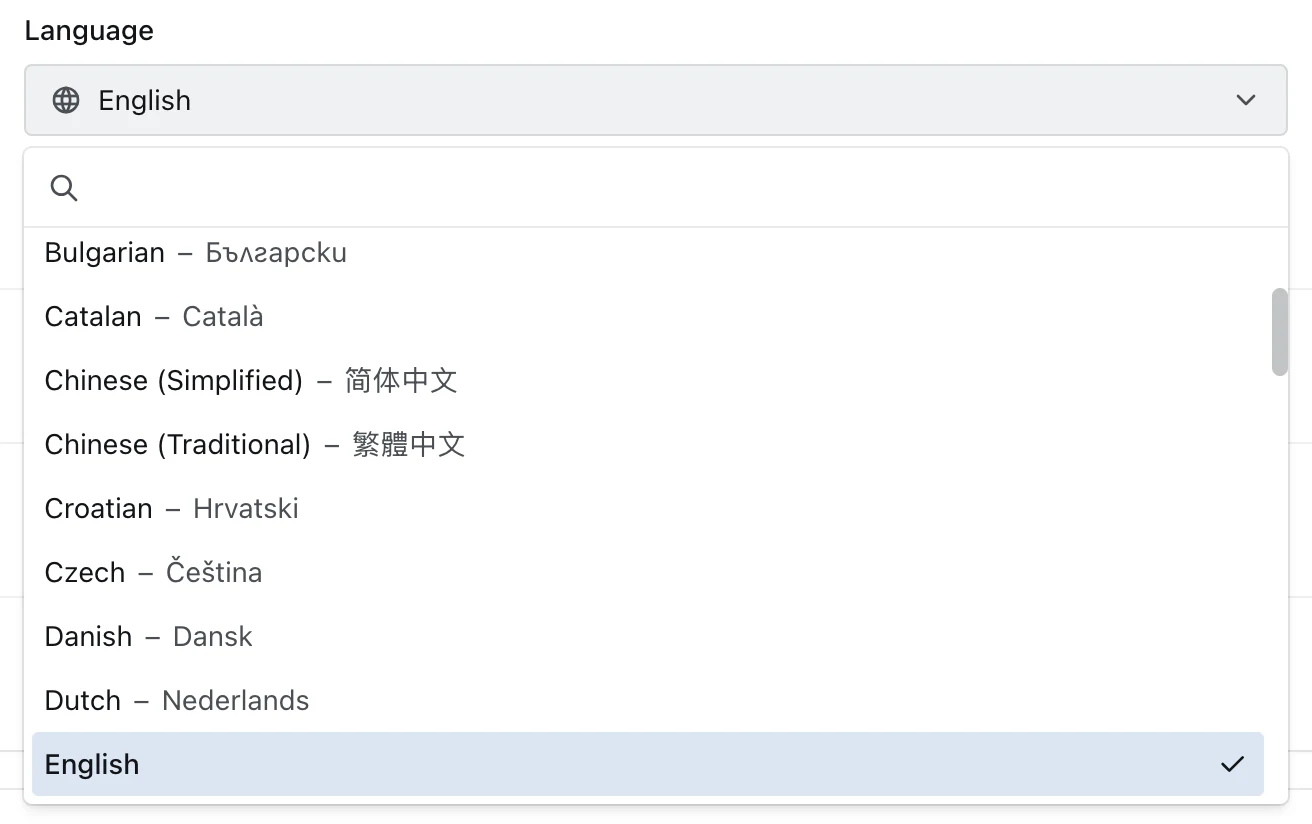
58 languages
Each person uses FieldFlag in their own language, including right-to-left languages.
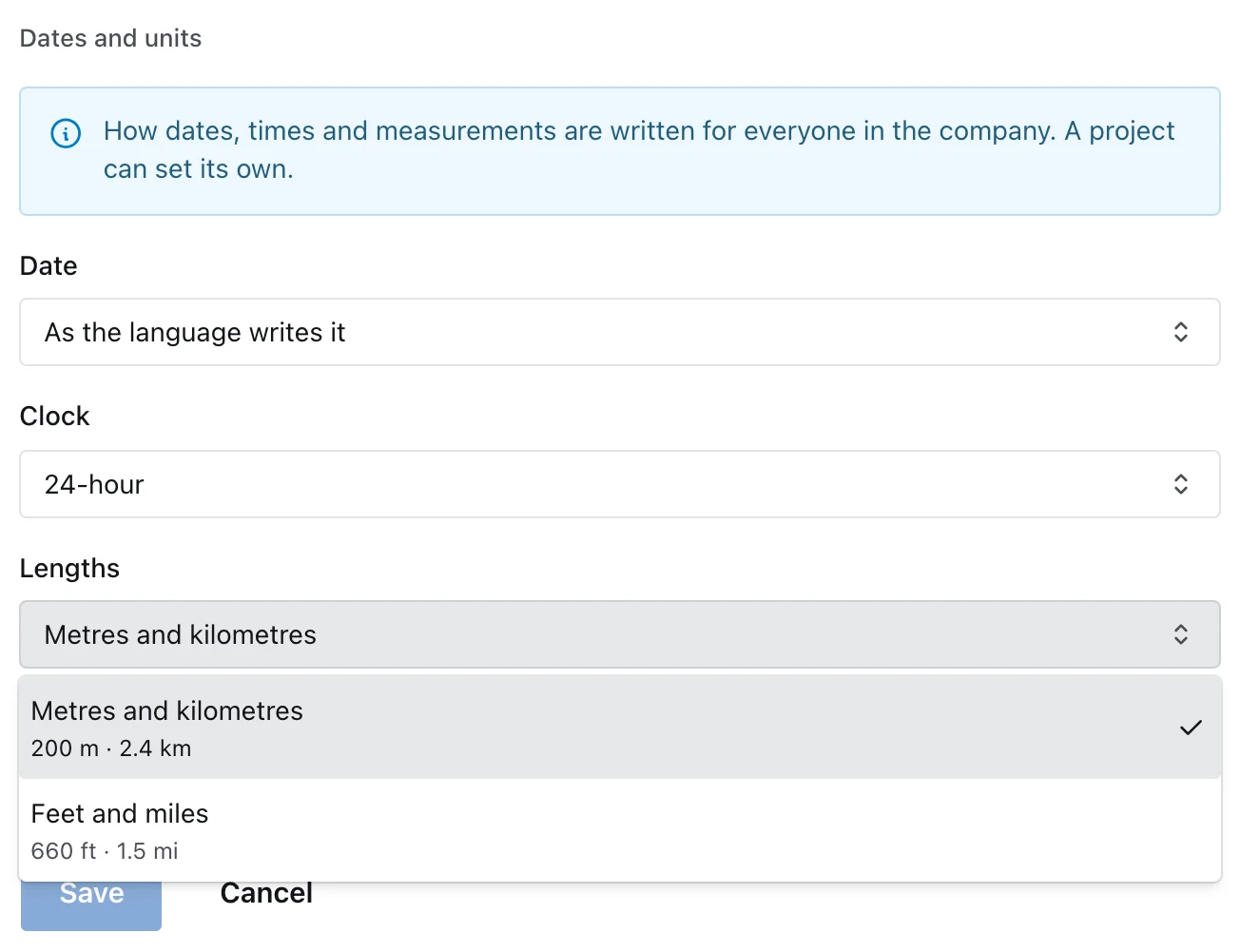
Date formats and units
Choose your date format and your units of length and area, for the whole company or for one project.
Nothing to install
FieldFlag runs in the browser on a phone, tablet or computer. Add it to your home screen to open it like an app.
DeliverLeave the site with the report ready.
Markings table
See every marking as a row, with your form fields as columns plus its position, date and time.
CSV export
Download all your markings as a CSV file and open it in Excel or Google Sheets. You choose which columns to include.
PDF report
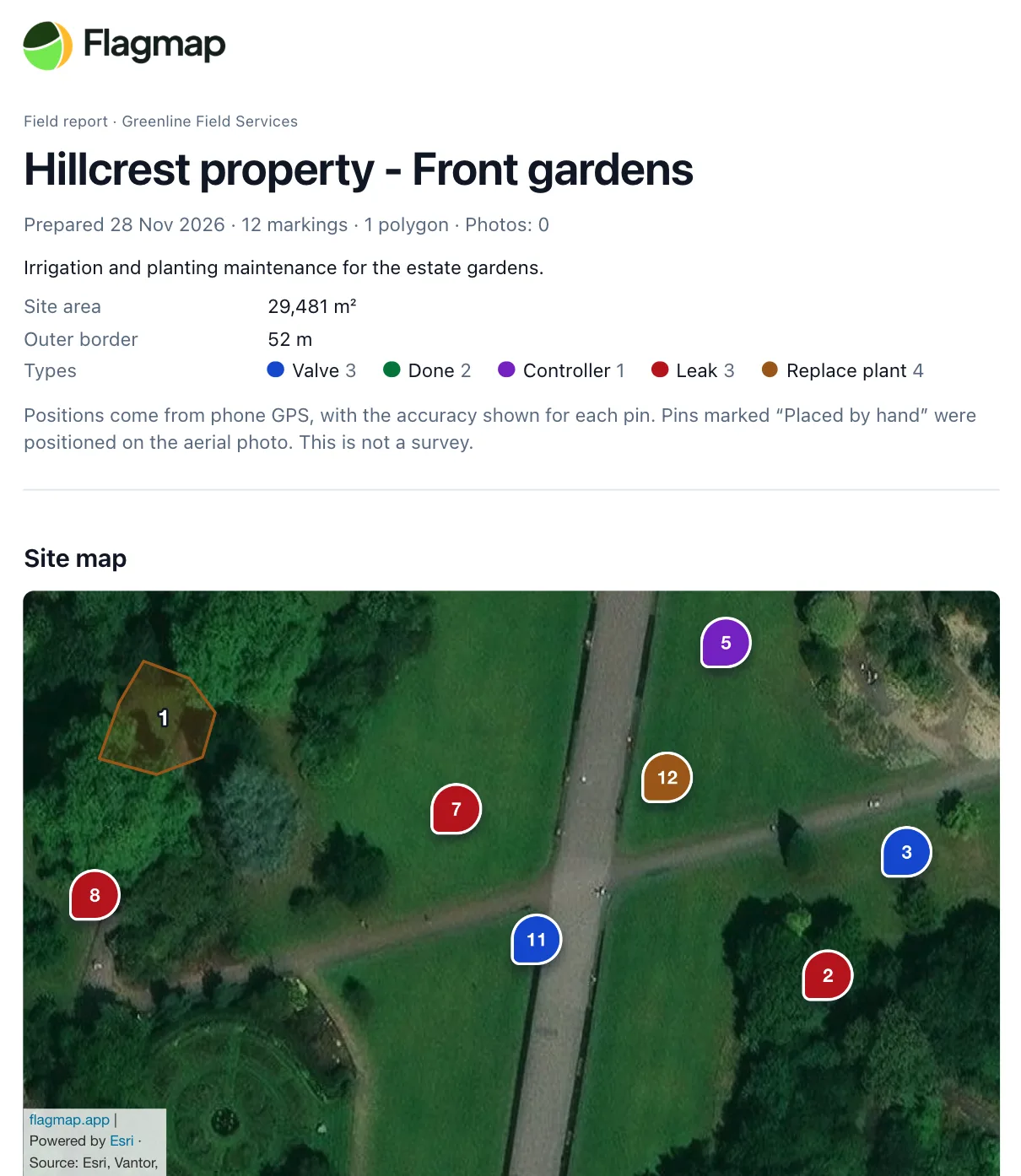
Get a report with the site map and every marking. Print it or save it as a PDF.
Client share link
Send your client a link to see the map, notes and photos. They need no account and cannot change anything.
TeamOne map for the crew and the office.
Team roles and permissions
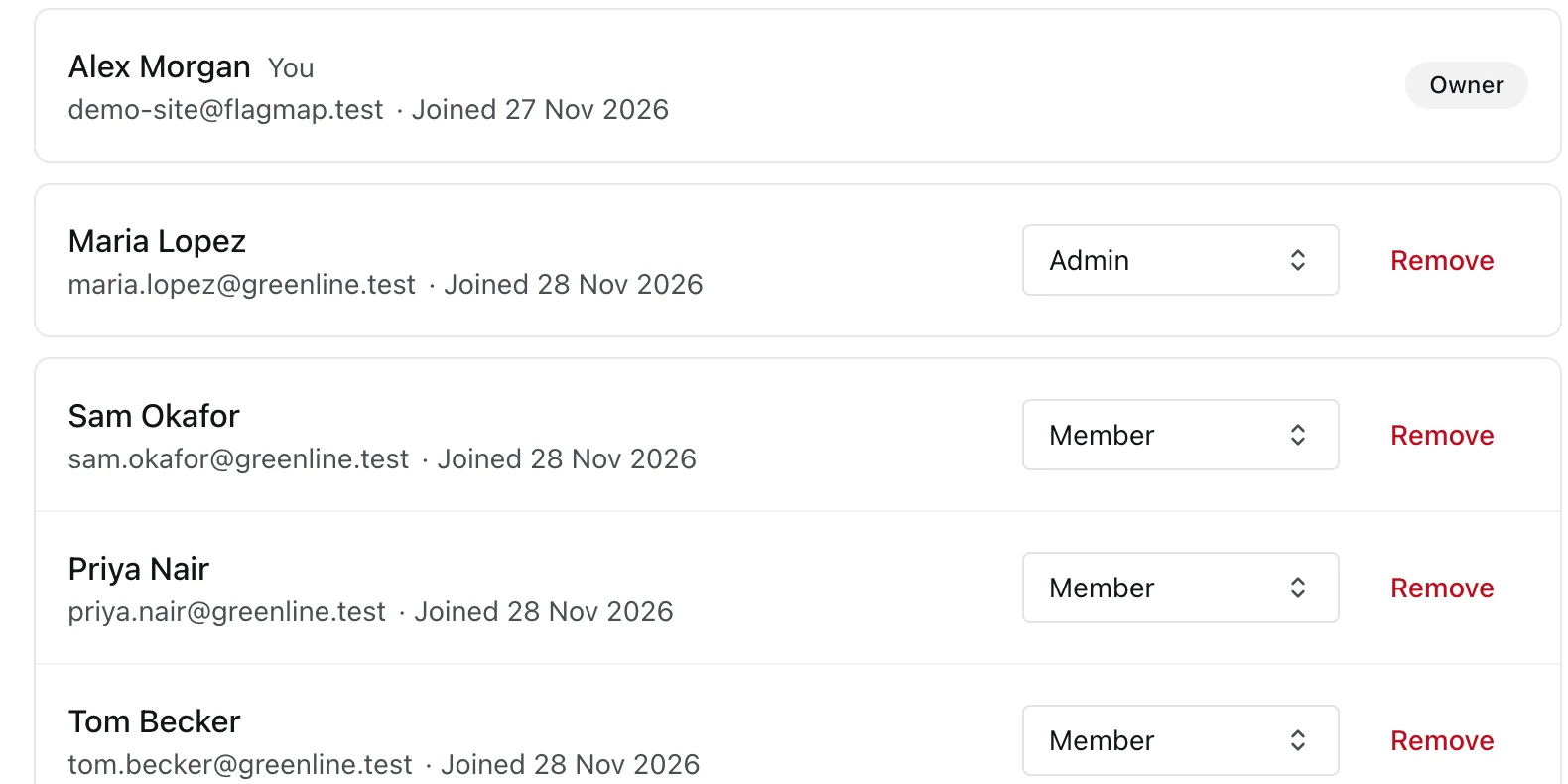
Invite your crew and give each person a role: owner, admin or member in the company, and editor or viewer on each project.
Tasks
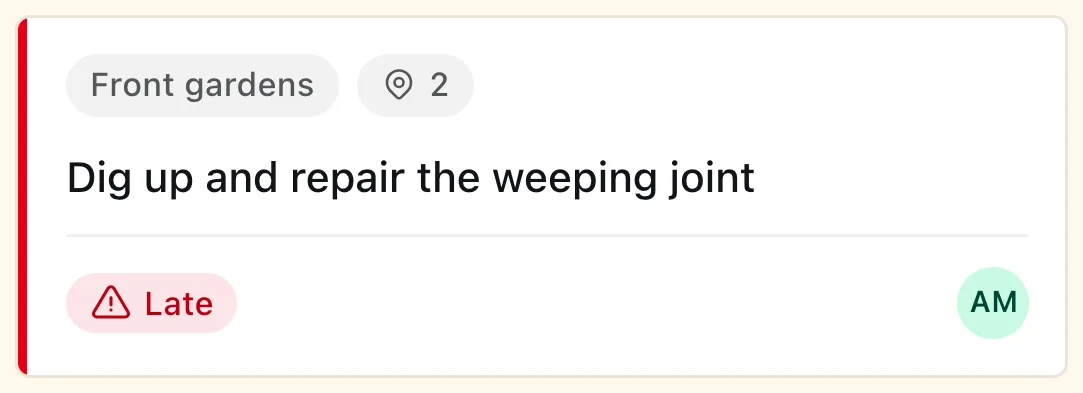
Assign a marking to a person with a due date. They get an email and see the task on their own list and map.
Task board
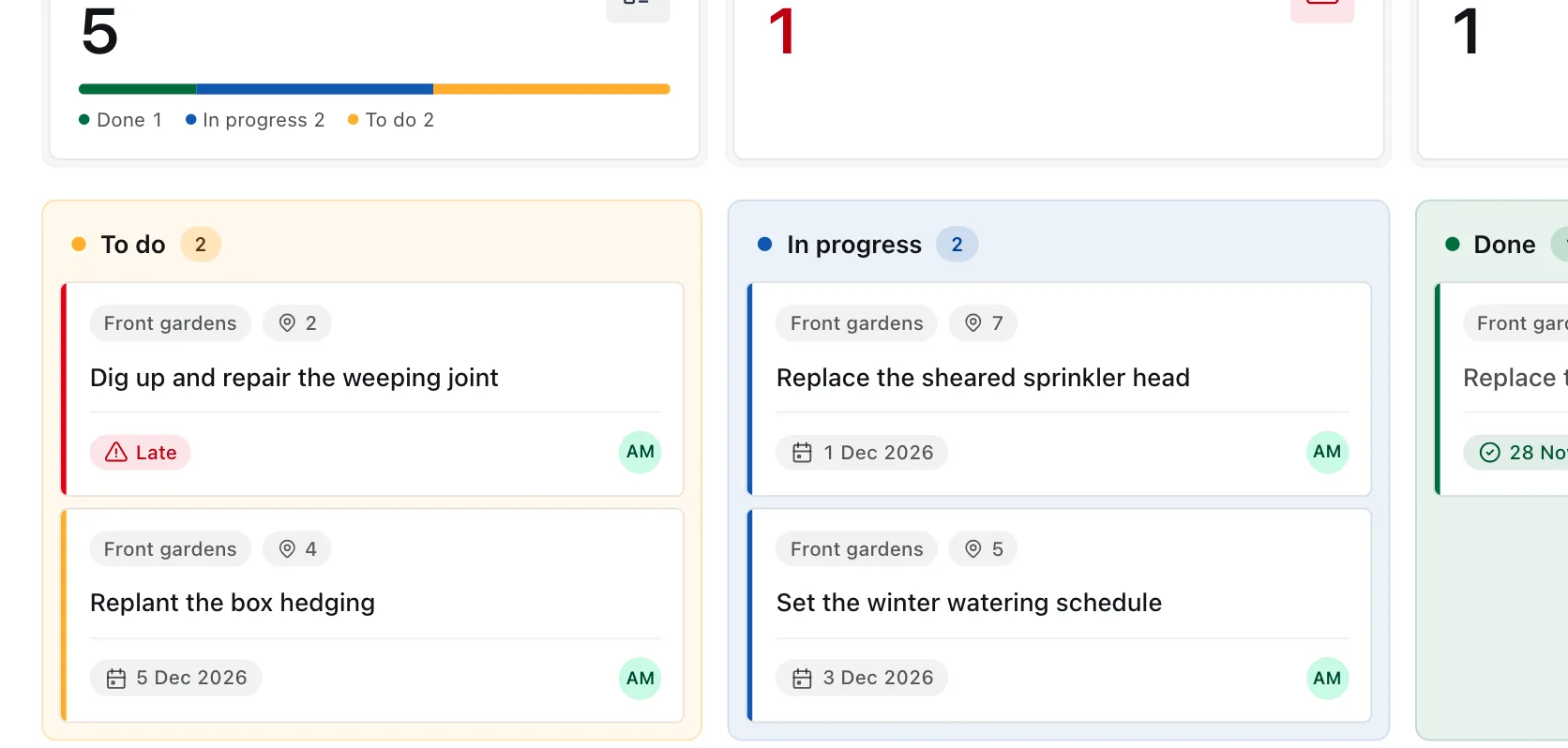
Track every task of a project in three columns: to do, in progress and done.
Project handover
Send a copy of a finished project to your client's company, or move it there, with one link.
SecurityYour data is kept safe, and can be brought back.
Backups and restore
Enterprise plan: we keep 30 days of history of your company's data and can turn it back to any moment in that time, on request.
A private database
Your company's projects, markings and tasks are kept in a database of their own, apart from every other company's.
Secure sign-in
Sign in with a password or with a code sent to your email. Passwords are stored hashed, and a new one must be strong.
Two-step verification
Each person can add an authenticator app to their sign-in. On the Enterprise plan you can require it for everyone.
Data location
Your data is kept in the United States. On the Enterprise plan it can be kept in the EU.
Activity log
Enterprise plan: see who did what, with records kept for 12 months.
In the app
See each feature in the app.
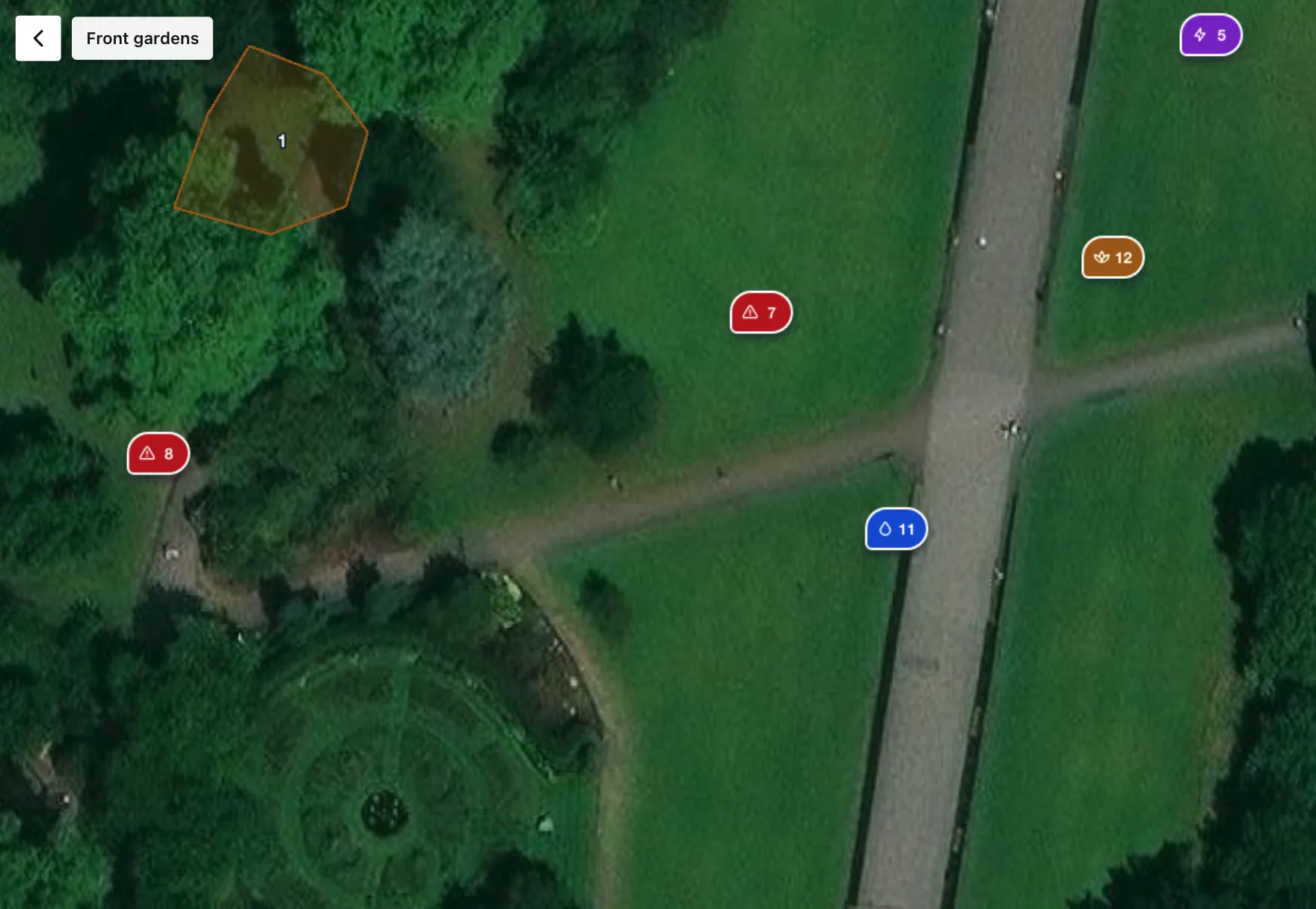
Site map
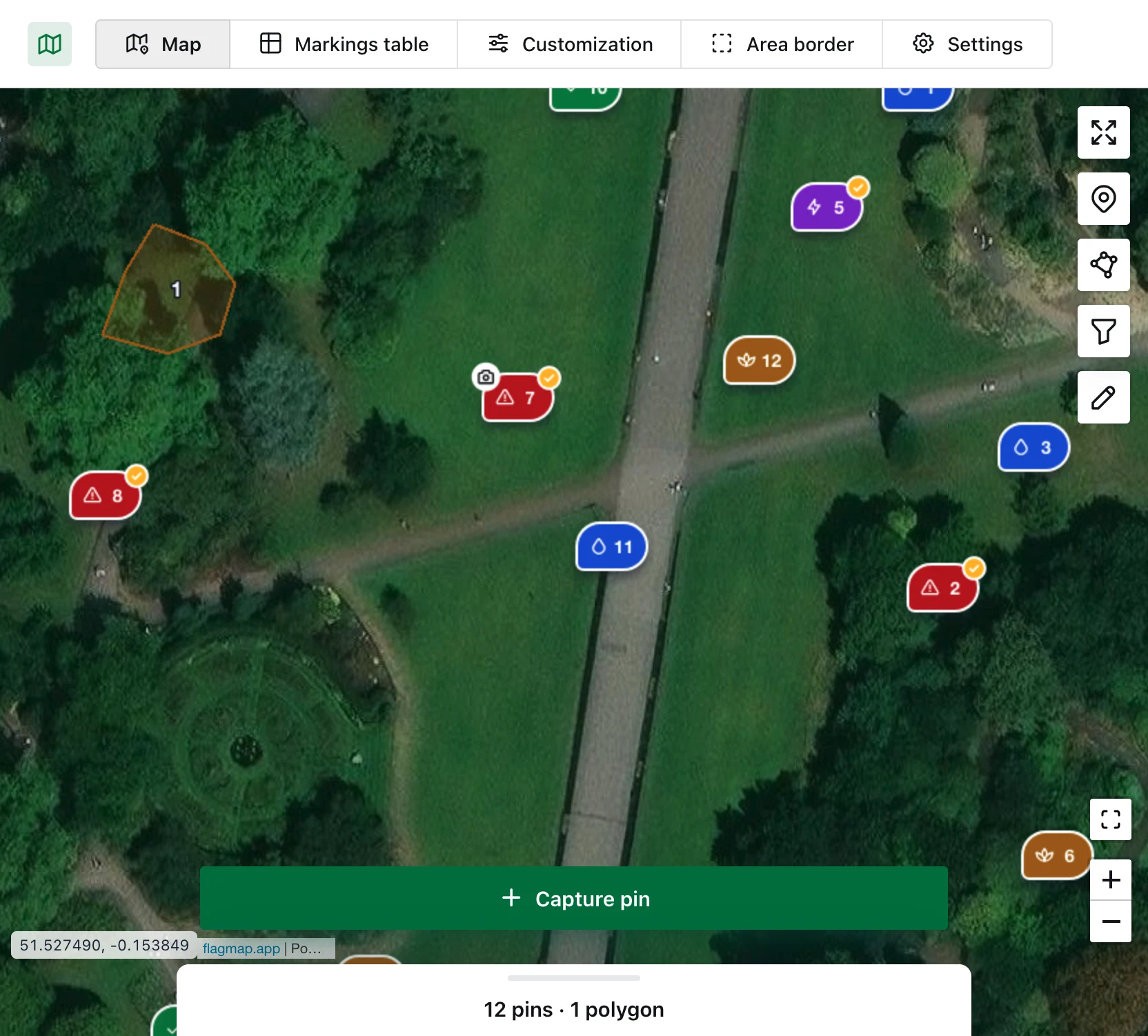
An aerial map of your site, with every finding on it.
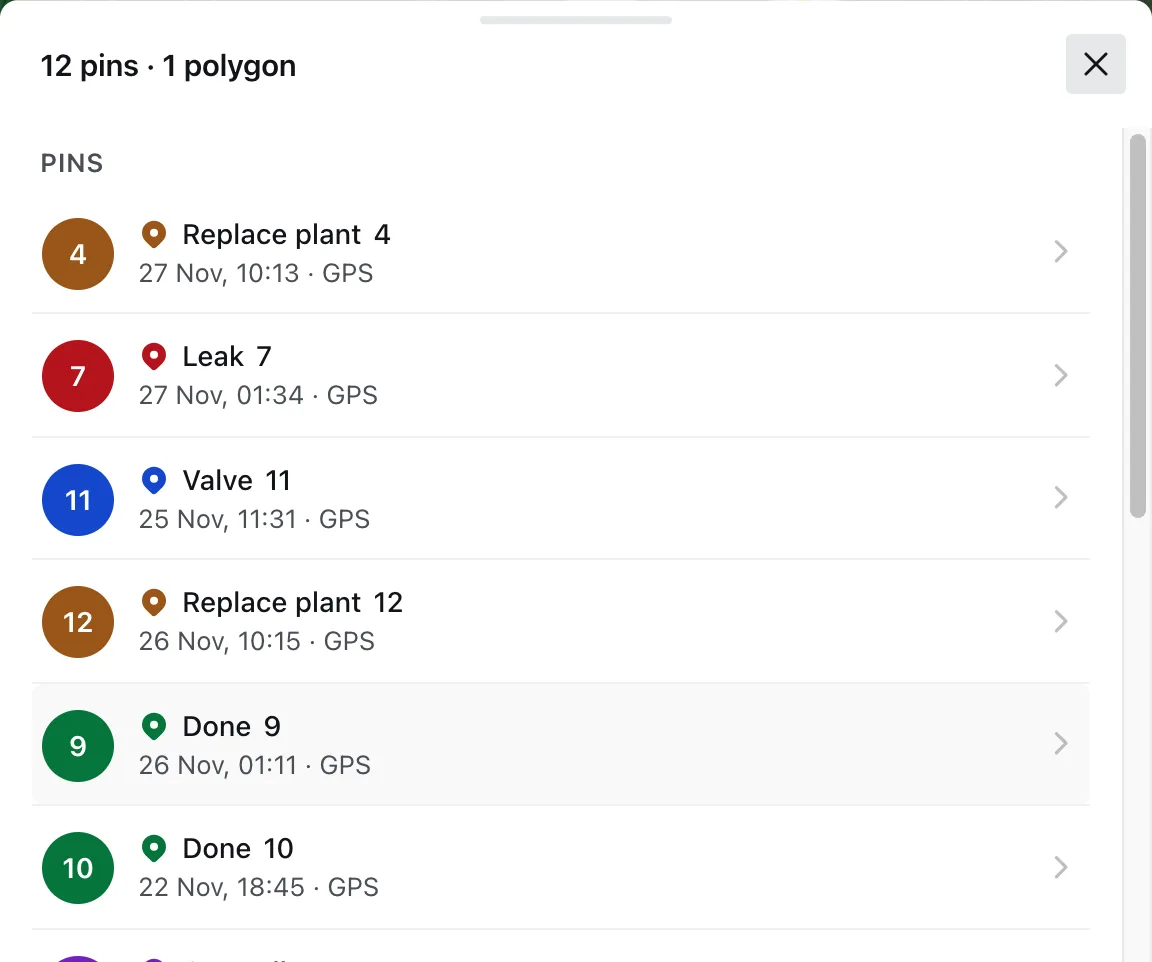
The map stays inside your site's border. Each marking shows its number and the colour of its type. Tap one to see its photos, notes and form answers.
- Pins for single spots, shapes for areas
- A list of every marking, newest first
- Filter the map by type
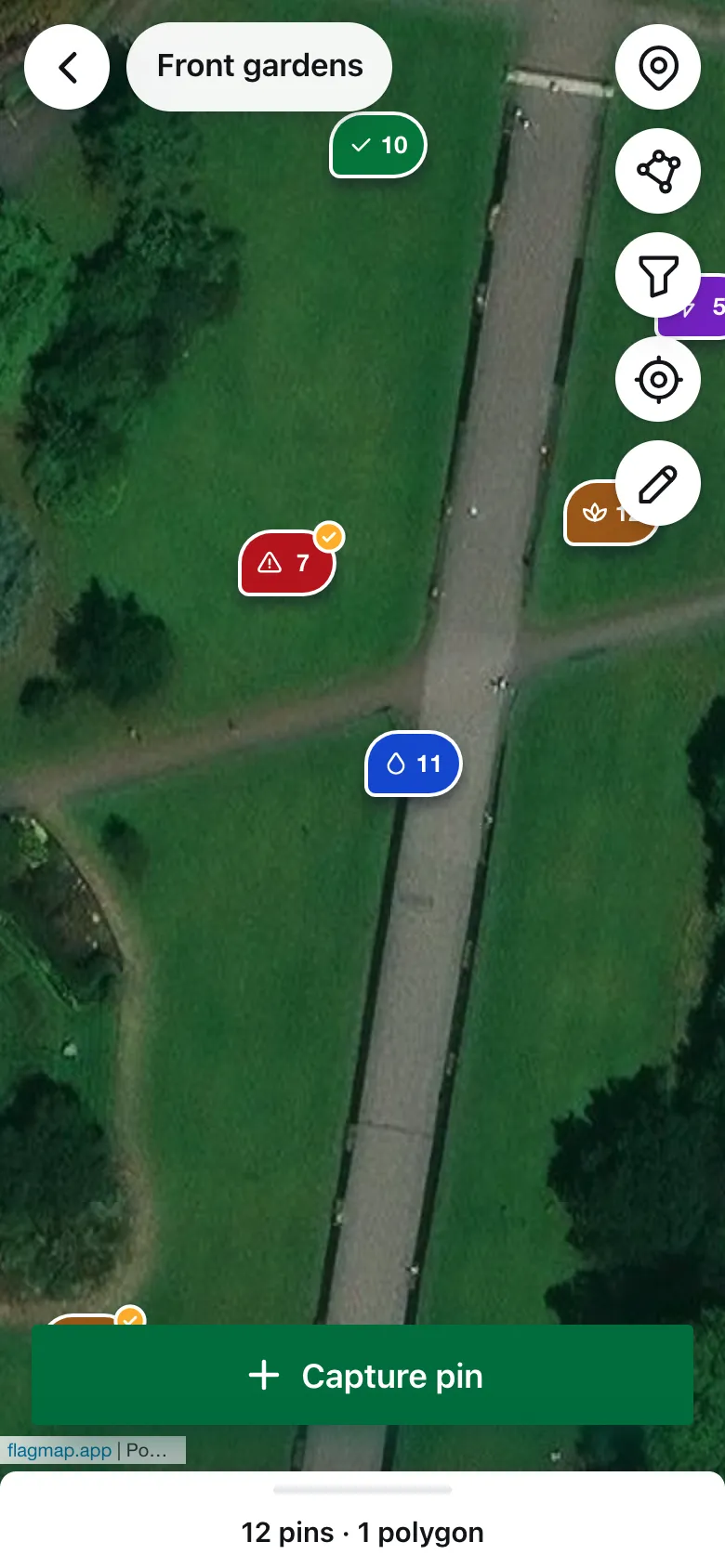
Phone app
Fast to use on a phone, on site.
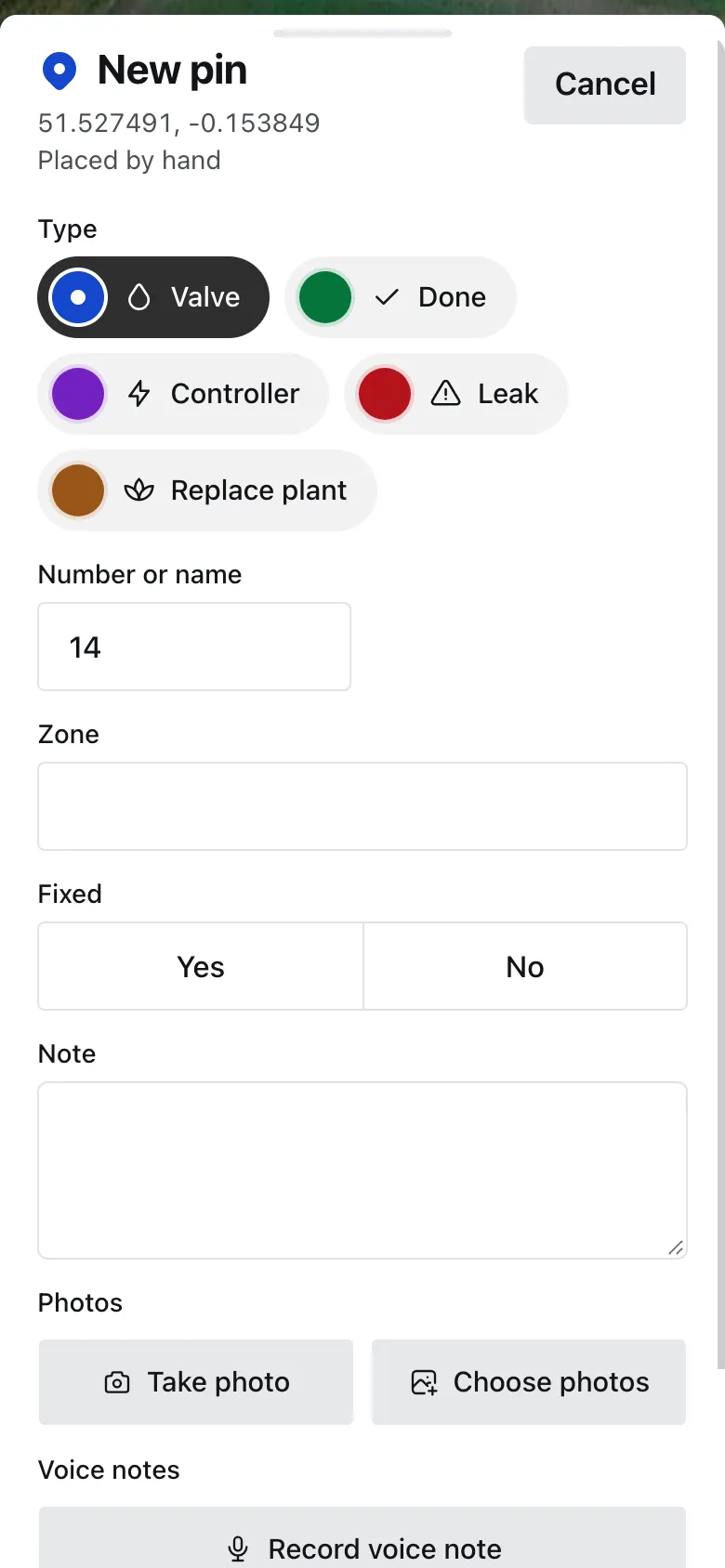
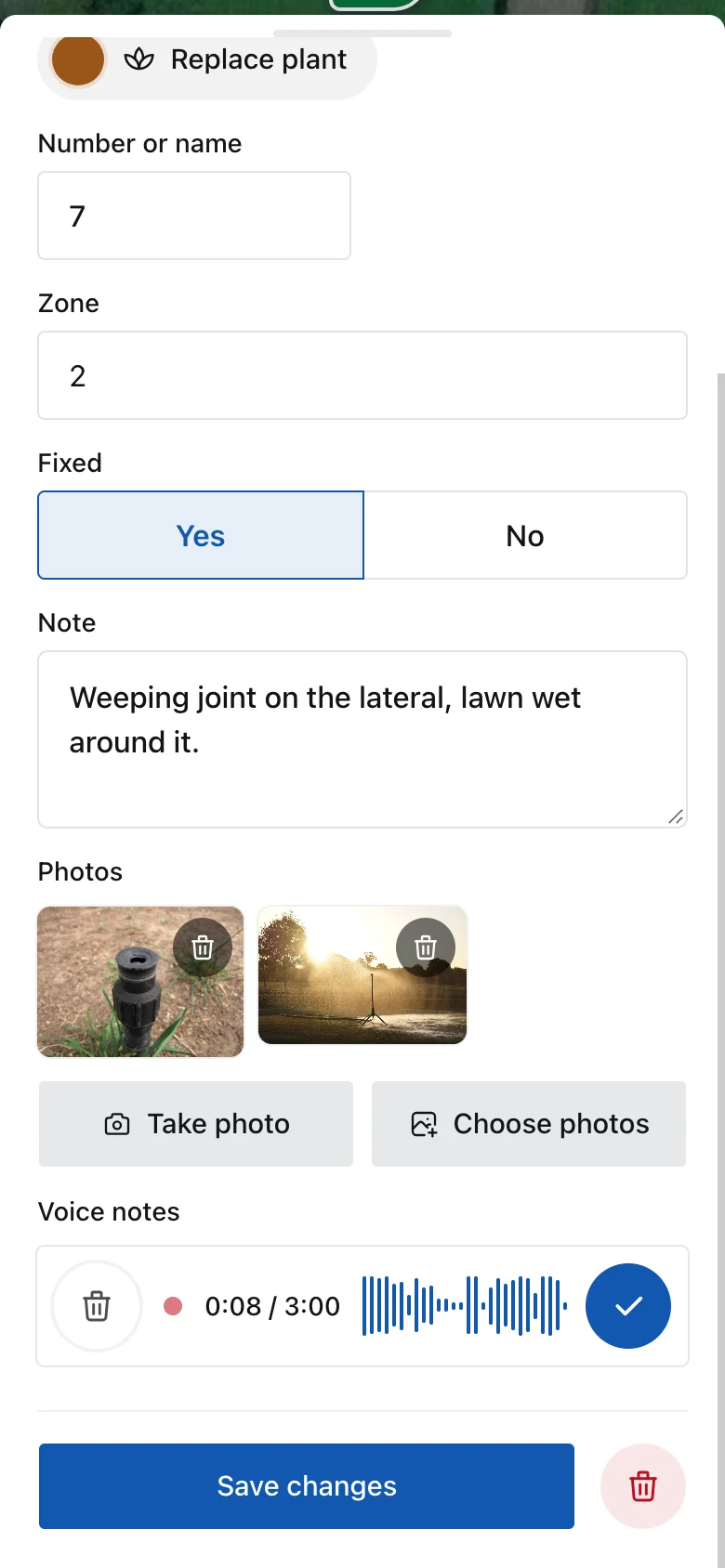
Tap the map where you stand and pick a type. Fill in your form, and add photos or a voice note with one tap.
- Take a photo or choose several from your gallery
- Record a voice note when typing is slow
- Open any marking to read or edit it on site
Photos and voice notes
Photos and voice notes on every marking.
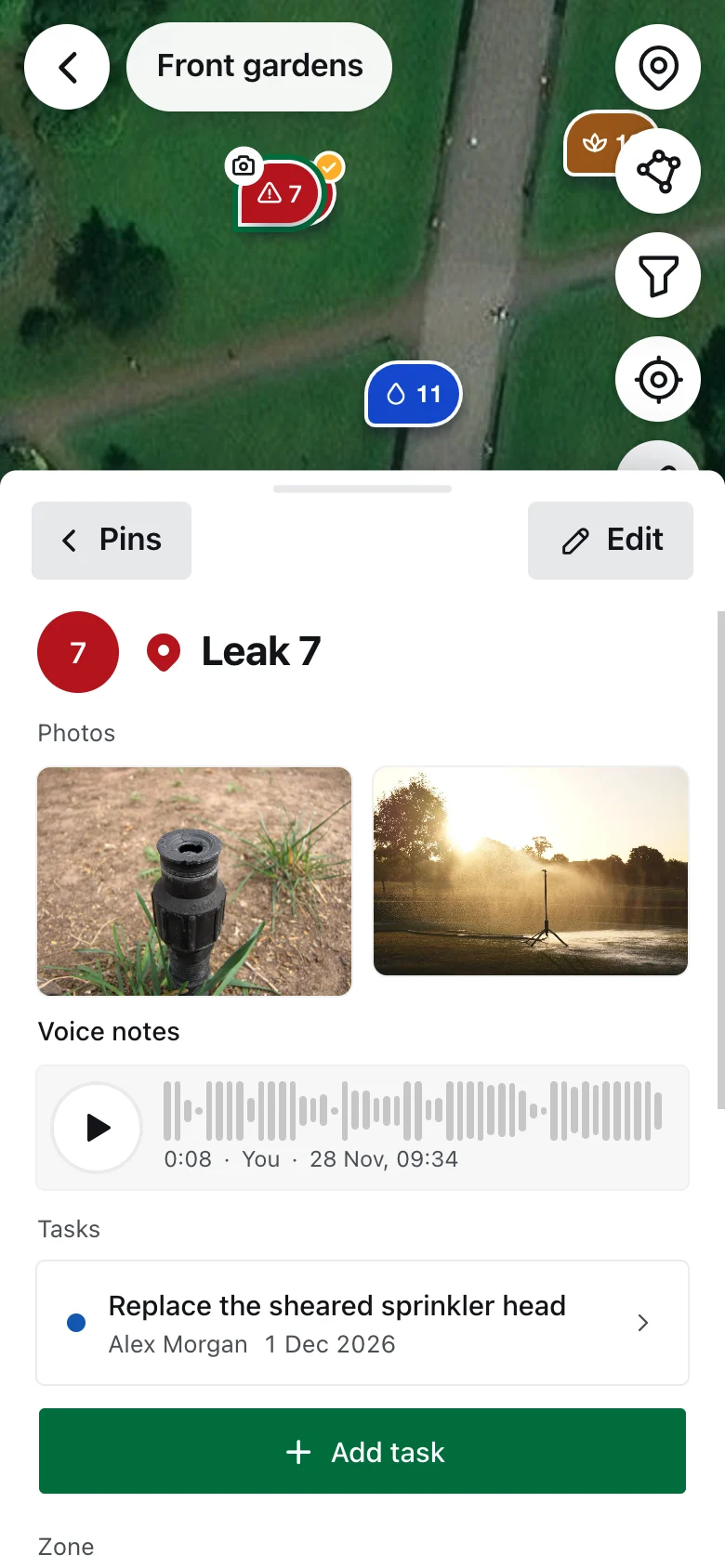
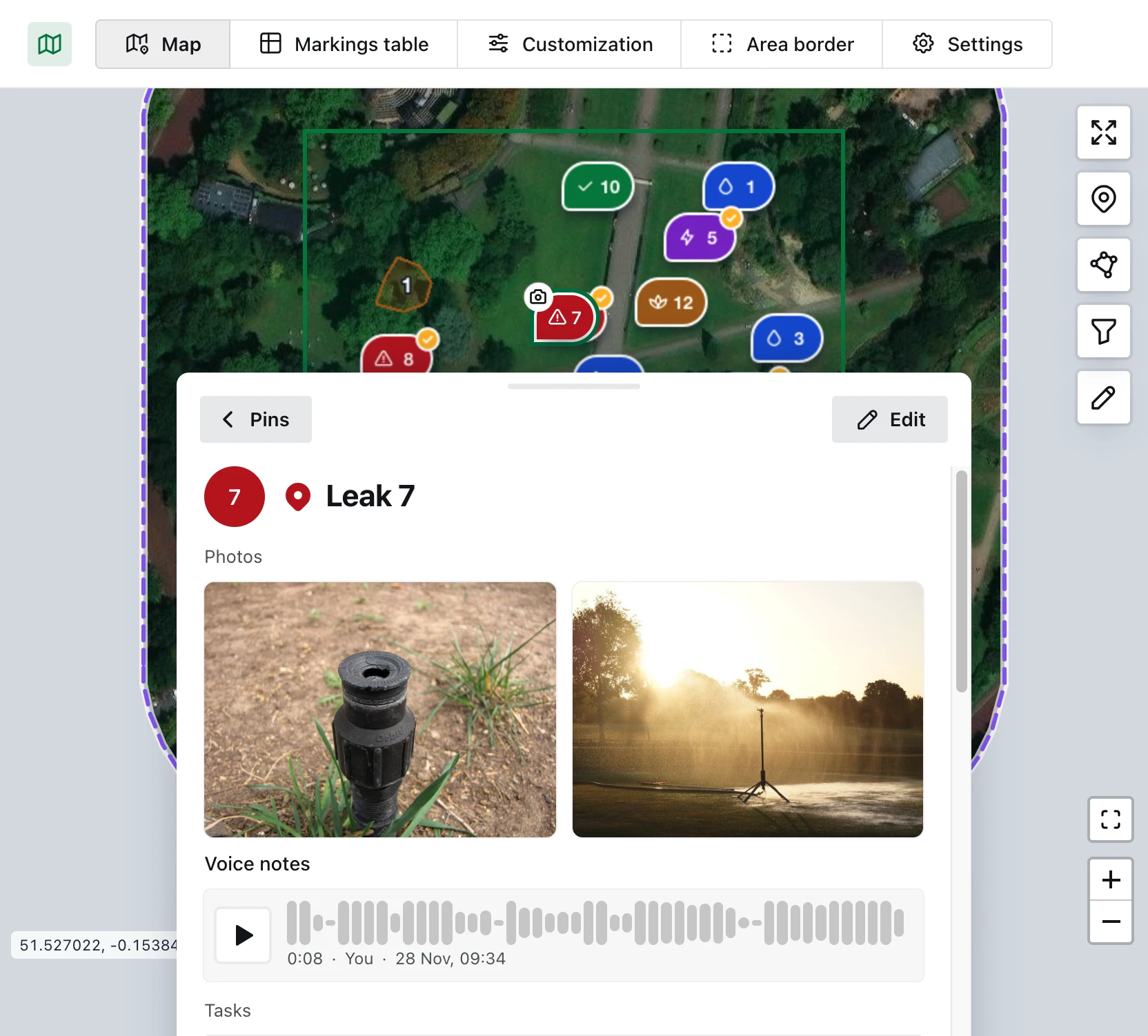
Take photos and record voice notes while you stand at the spot. Each one is saved with its marking, so nobody matches photos to places later.
- Photos from the camera or the gallery
- Voice notes instead of typing
- Play a voice note back from the map, the phone or the office
Offline
Works offline, with auto sync.
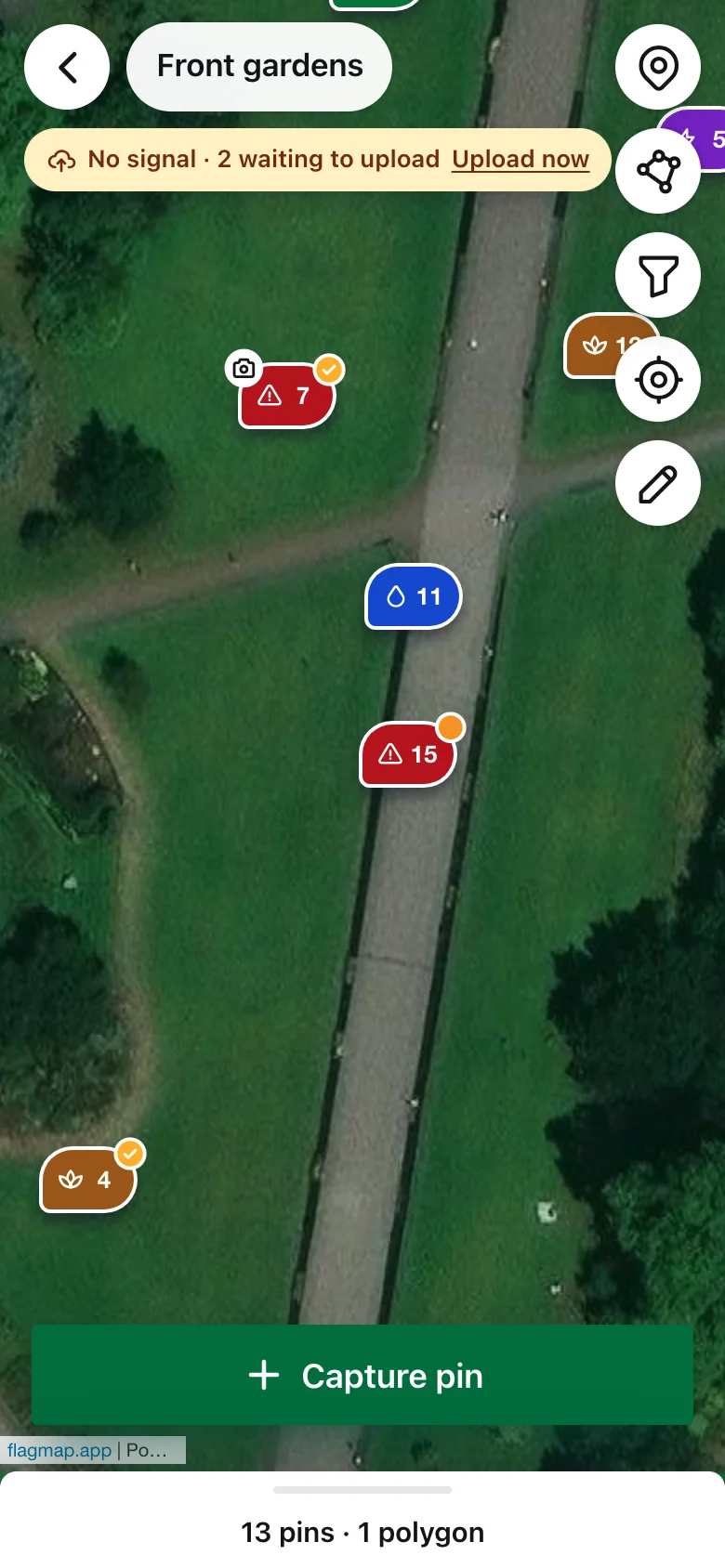
Open a site once with signal and it works anywhere after that. With no signal, your markings are saved on the phone and sync automatically when you are back online.
- The map shows how many markings are waiting to upload
- Photos and voice notes wait with their marking
- Nothing to press when the signal returns
Customization
Easy customization for every site.
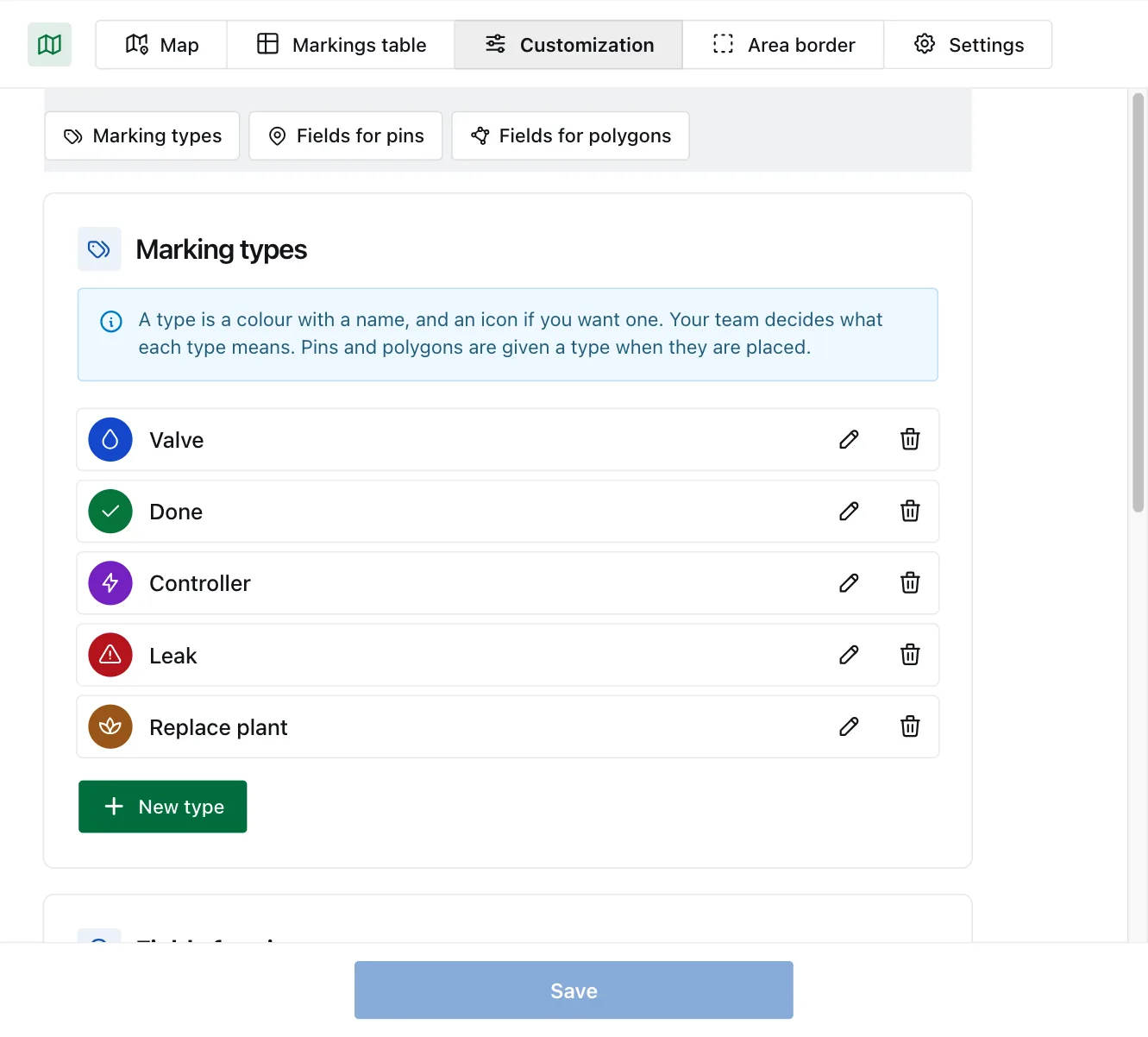
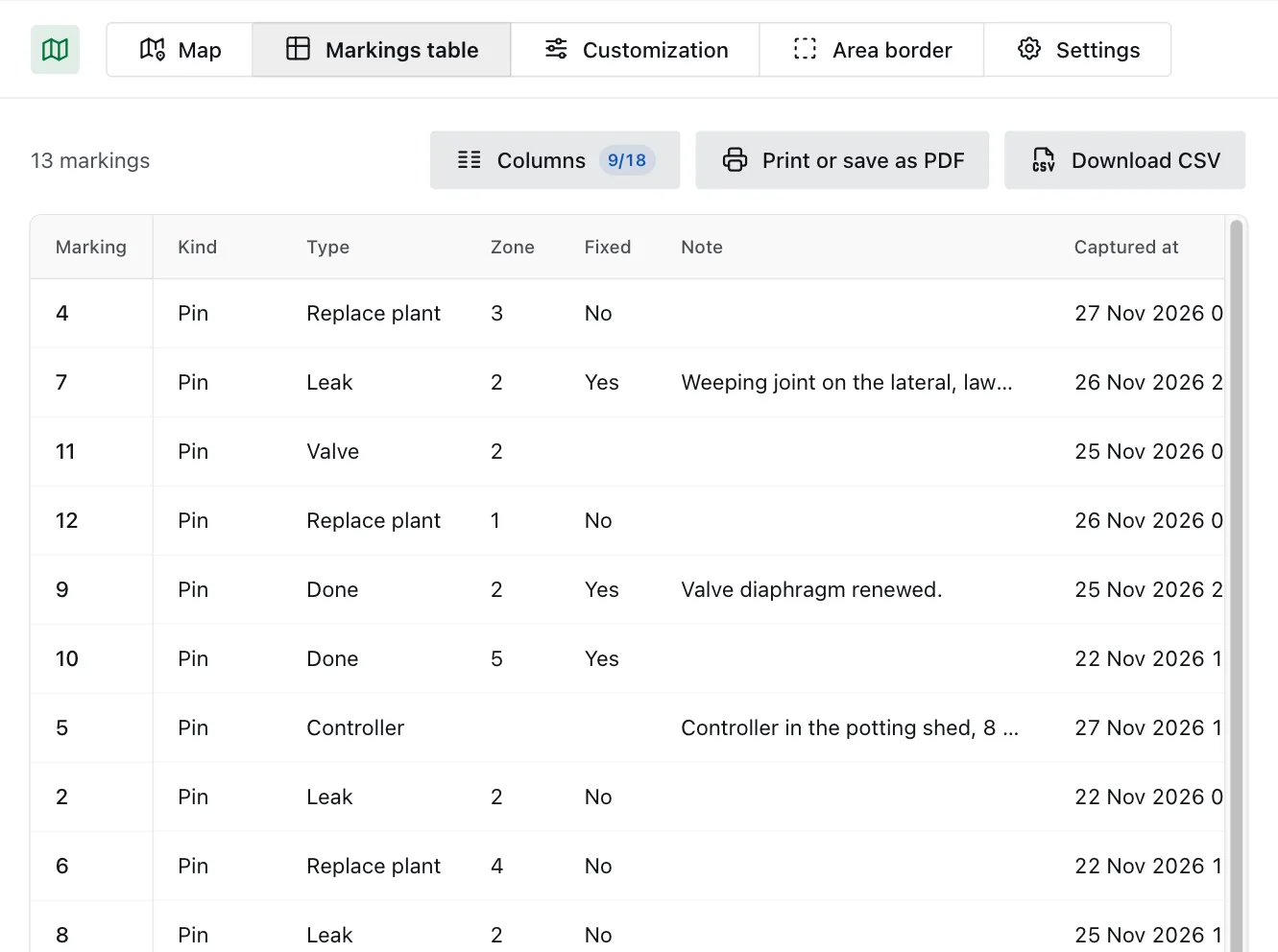
Create your own marking types and form fields for each site. Your crew records the same details the same way, and you get data you can compare. Change them at any time and every phone updates.
- Types with your own name, colour and icon
- Separate form fields for pins and for shapes
- Field kinds: text, number, choice, yes or no, date
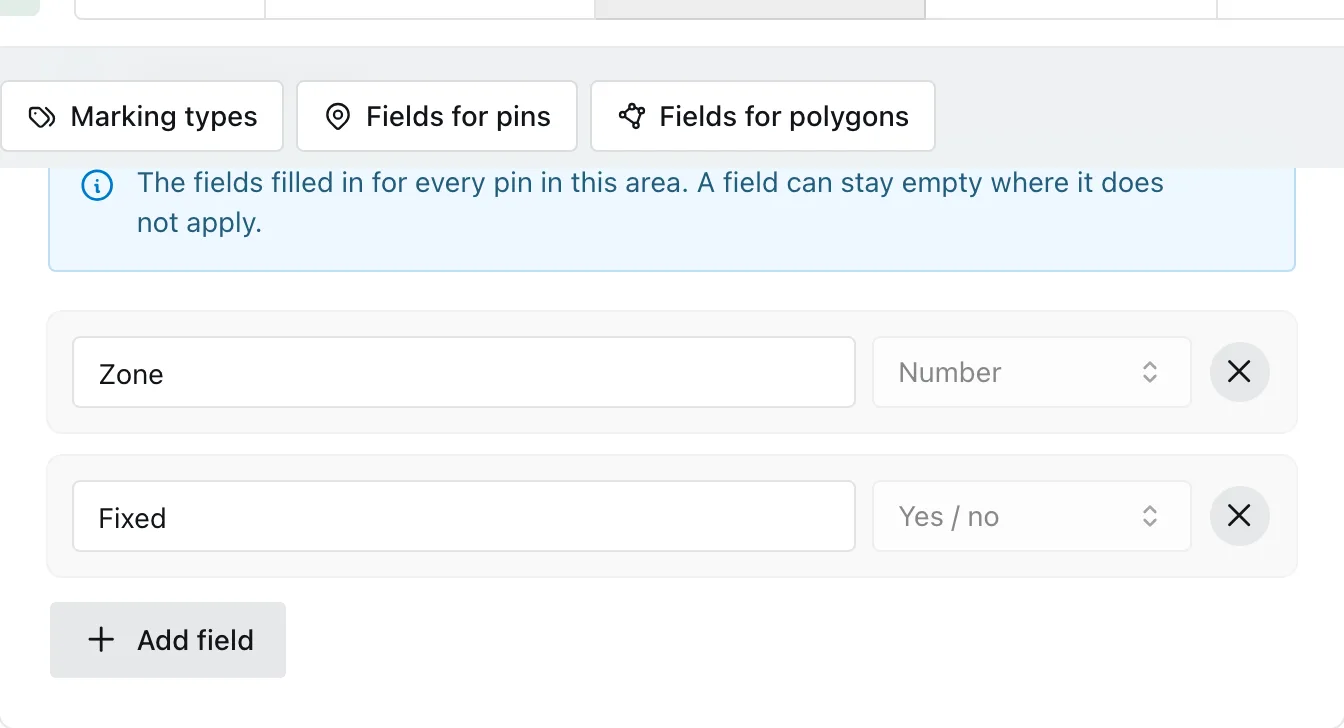
Site setup
Set up a new site by drawing its border.
Search for the address, tap the corners of the site on the aerial photo, and adjust them if needed. You see the size of the site as you draw.
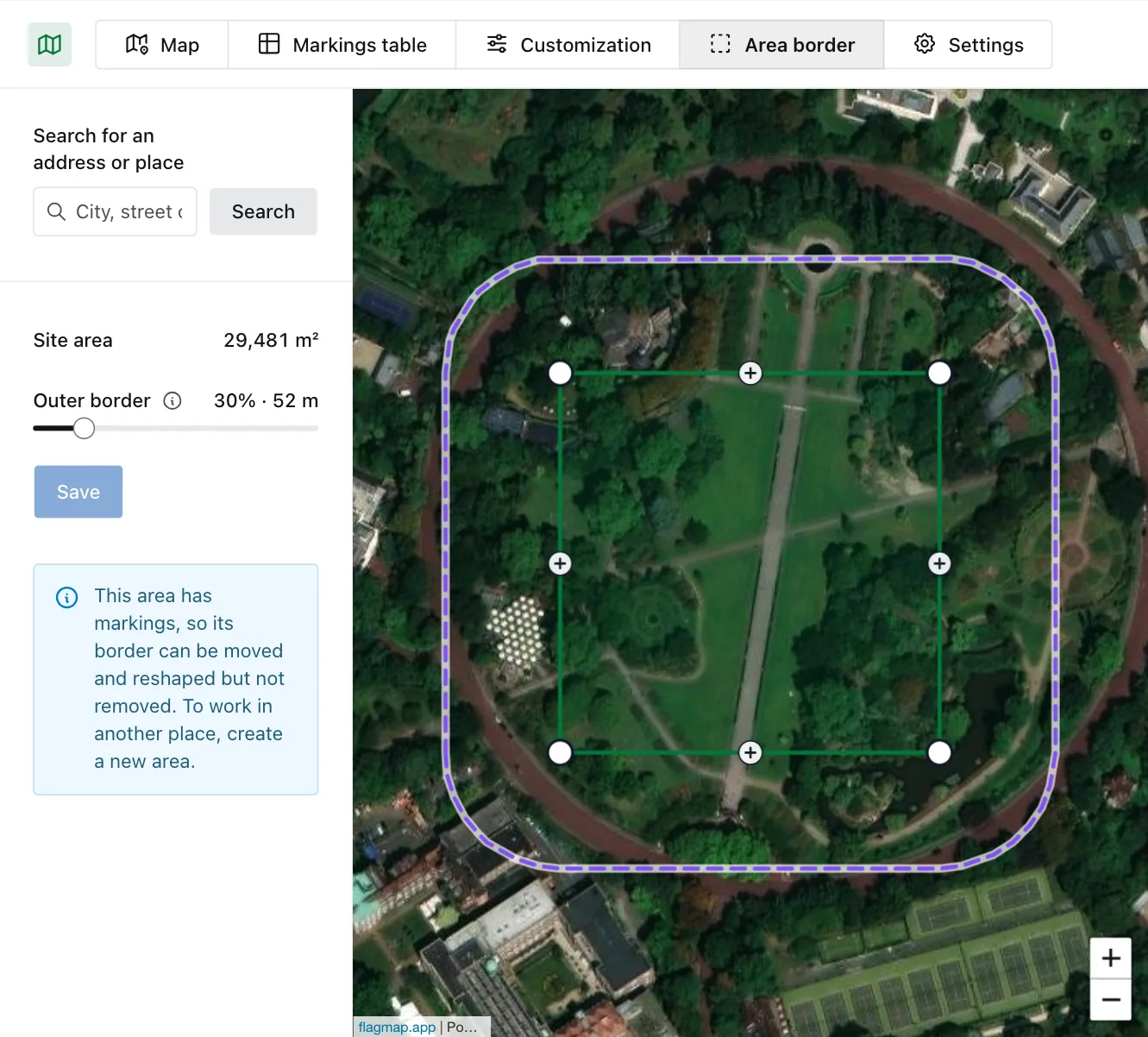
Table and report
A table and a report, ready to send.
Every marking is already in the table. Hide the columns you do not need, download it as a spreadsheet, or print the report with the map on it.
- Your form fields as columns
- Position, date and time on every row
- Print it or save it as a PDF
Tasks
Tasks that show where the work is.
Assign a marking to a person with a due date. The board shows what is to do, in progress and done, and each person sees their own tasks on a list and a map.
- An email to the person who gets the task
- Filter the board by site and by person
- My tasks works on the phone, even offline
Team roles
Team roles and permissions.
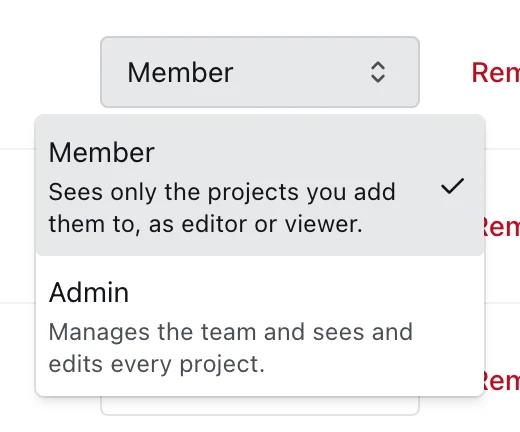
Invite your crew by email and decide what each person can do. Managers see every project, and crew members see only the projects you add them to.
- Company roles: owner, admin and member
- Project roles: editor and viewer
- Invite many people at once
Languages and formats
58 languages, with your own dates and units.
Each person uses FieldFlag in their own language, including right-to-left languages such as Hebrew and Arabic. Set the date format, clock and units once for the company, or for one project.
- 58 languages, chosen by each person
- 12 or 24-hour clock, and your date format
- Metric or imperial units of length and area
Client sharing
Share the map with your client by link.
Your client sees the map, the markings and the photos without creating an account, and cannot change anything. Turn sharing off at any time.
Compare
How FieldFlag compares with other field apps.
| Pin apps | Field data platforms | FieldFlag | |
|---|---|---|---|
| What you get at the end | Pins on a street map | Depends on what a specialist builds | A table and a report of your site |
| Setup before you start | None | Forms, layers and accounts to build | Draw your site's border |
| Who sets it up | Anyone | A map specialist | Whoever walks the site |
| The map you work on | A street map | Map layers | An aerial photo of your site |
| Starting price | A small monthly fee | Often several seats and a yearly contract | Free for one person |
Start today
Try every feature on your own site
The free plan includes the map, photos, voice notes, custom forms and reports for one person and one site. Upgrade when you want to add your crew and tasks.