
FieldFlag for landscape and irrigation
Know where every valve is, and show that the job was done.
Mark each valve, shutoff, controller and plant on an aerial photo of the property. Your crew walks straight to them, and your client sees the work with its date.
Start for free. No credit card required.
The old way
Where paper, photos and memory let you down.
The valve nobody can find
The plan says the valve box is by the hedge. It is not, and the one person who knows is on another job.
"Nobody came"
A client says the visit never happened, and the only proof is a photo somewhere on a crew member's phone.
Work orders by phone call
The crew gets told where the broken head is over the phone, and goes to the wrong bed.
How it works
Start recording in three steps.
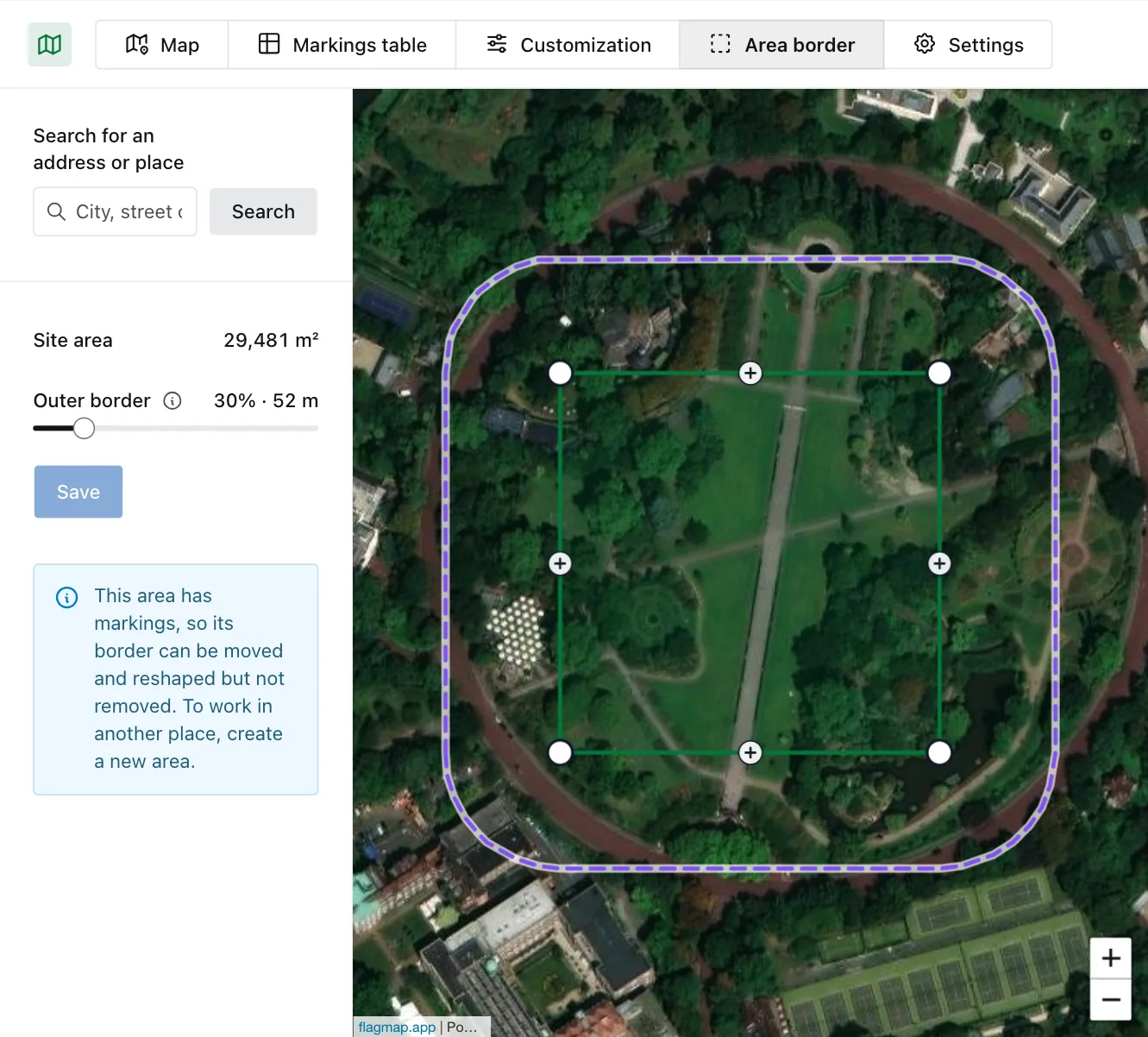
Draw the property
Search for the address and tap the corners of the grounds you look after.
Set up what you track
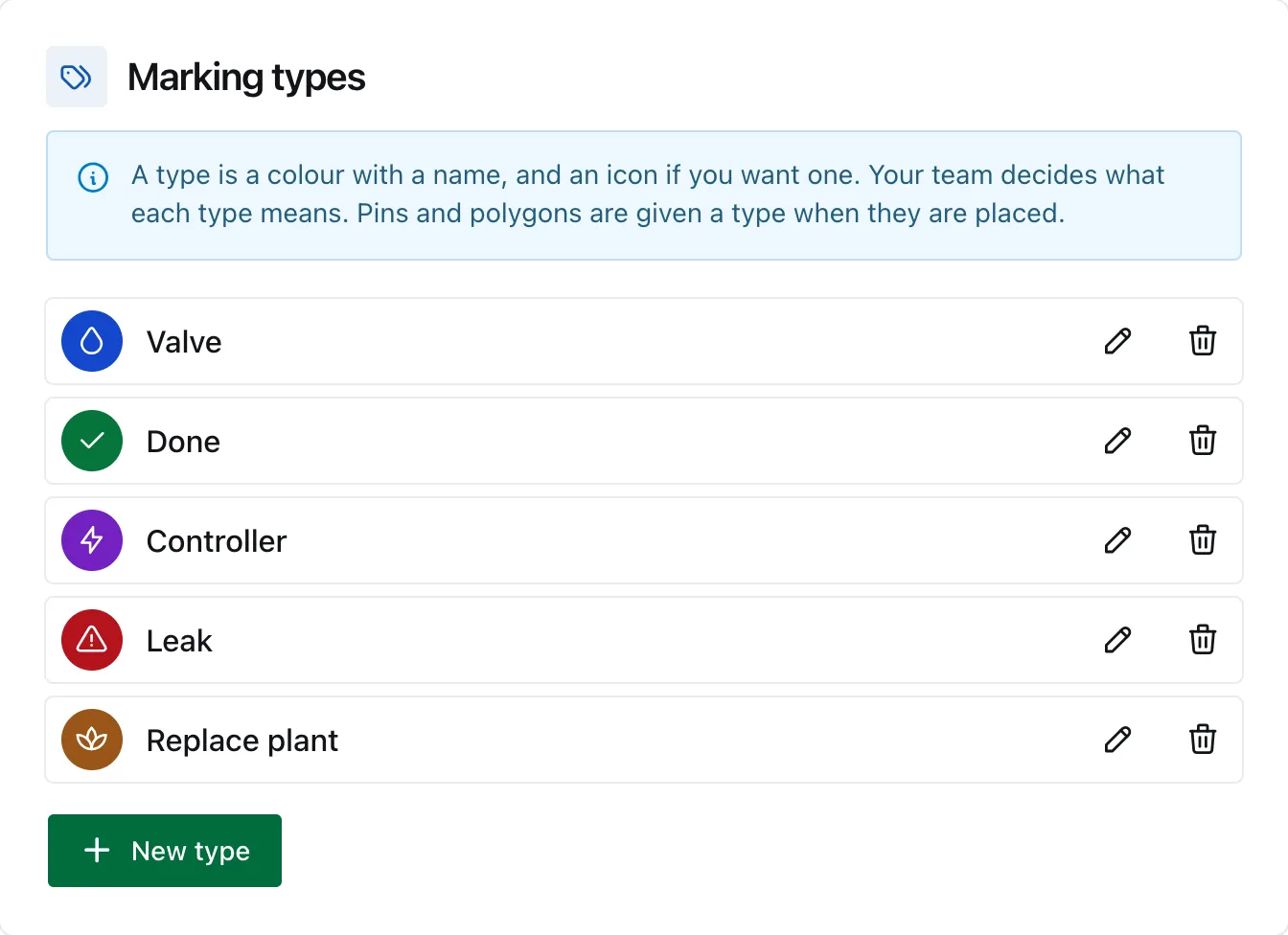
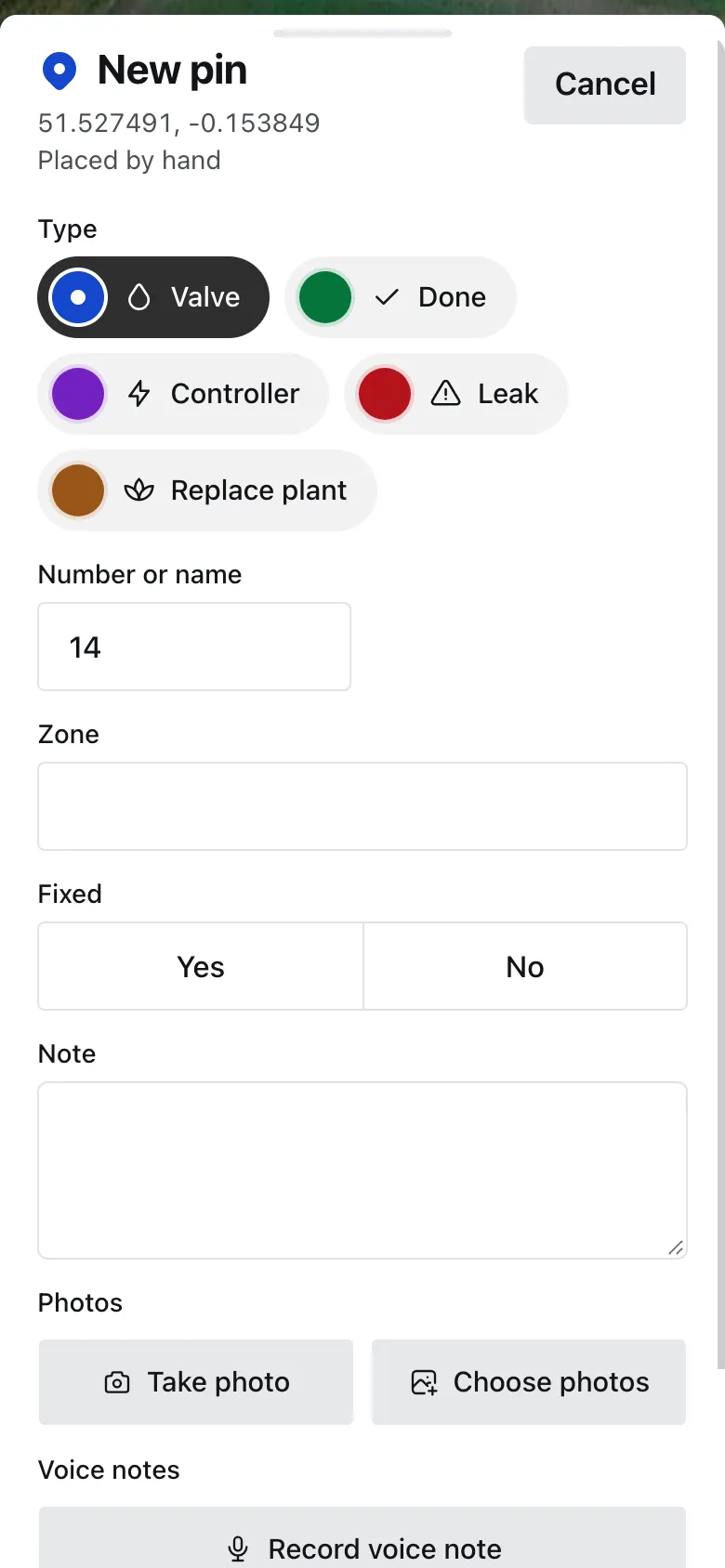
Create types such as Valve, Leak, Controller and Plant to replace. Add form fields for the zone number and whether it is fixed.
Mark it as you walk
Stand at the valve box, tap the map, choose the type and take the photo. It takes a few seconds.
What you get
Know where every valve is, and show that the job was done.
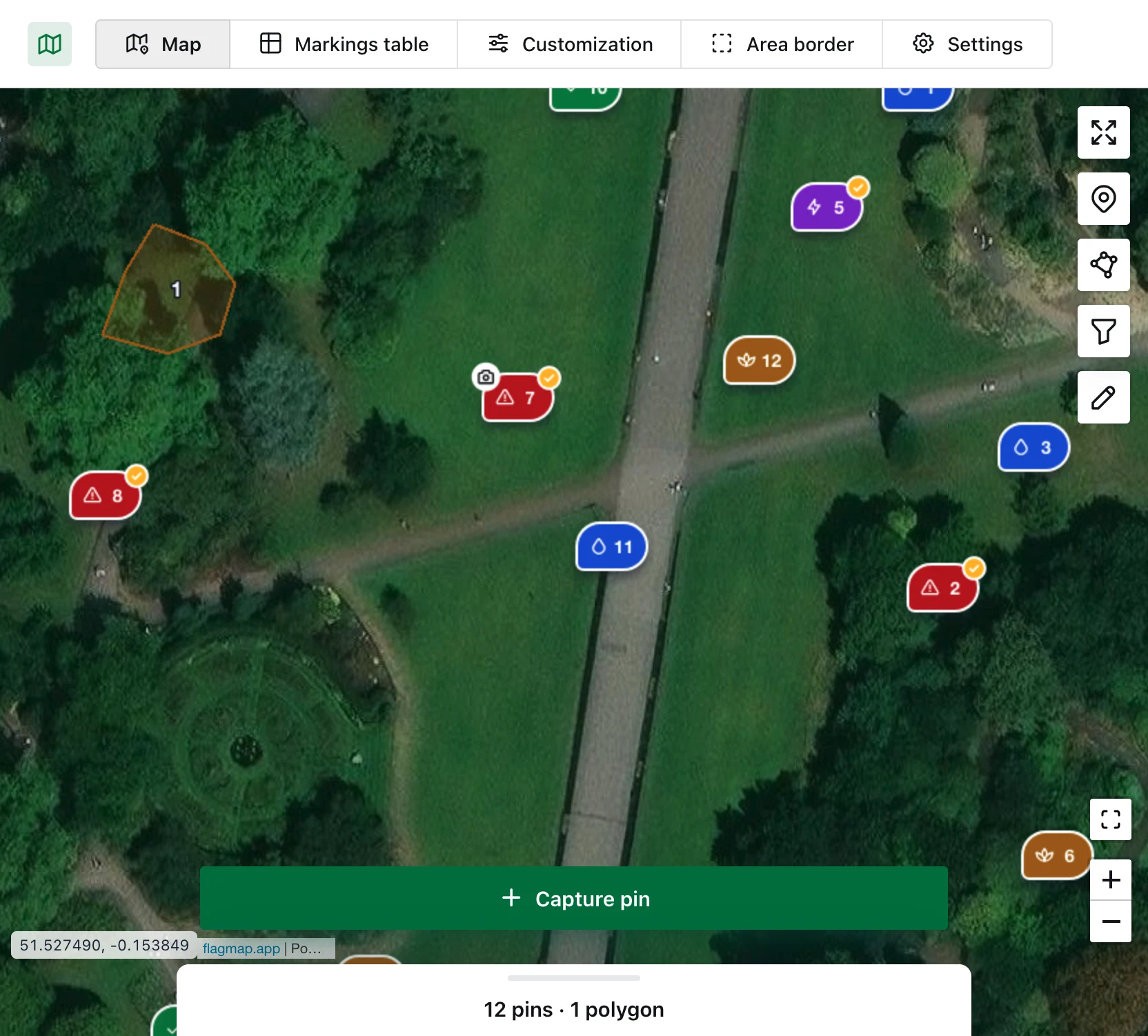
Irrigation map
A map of every valve, shutoff and controller.
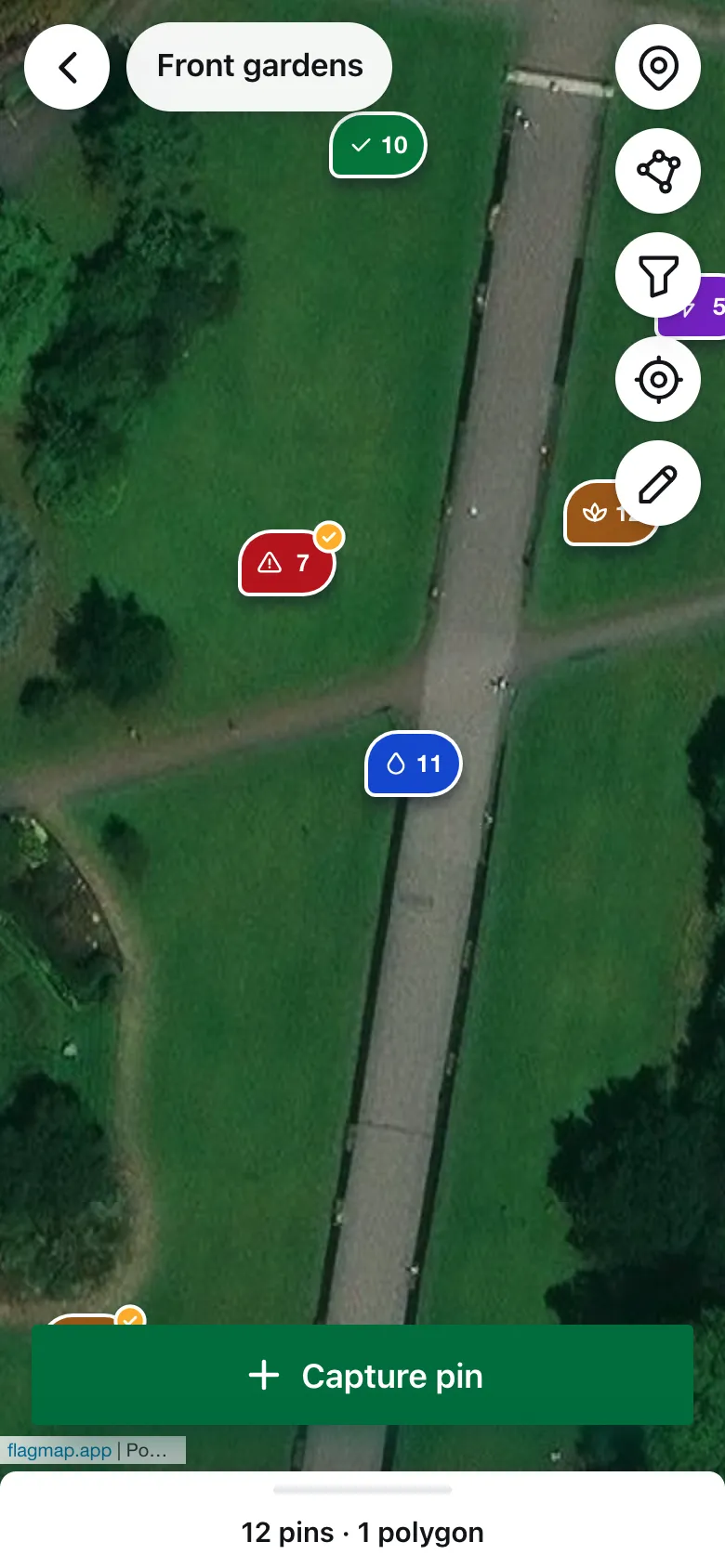
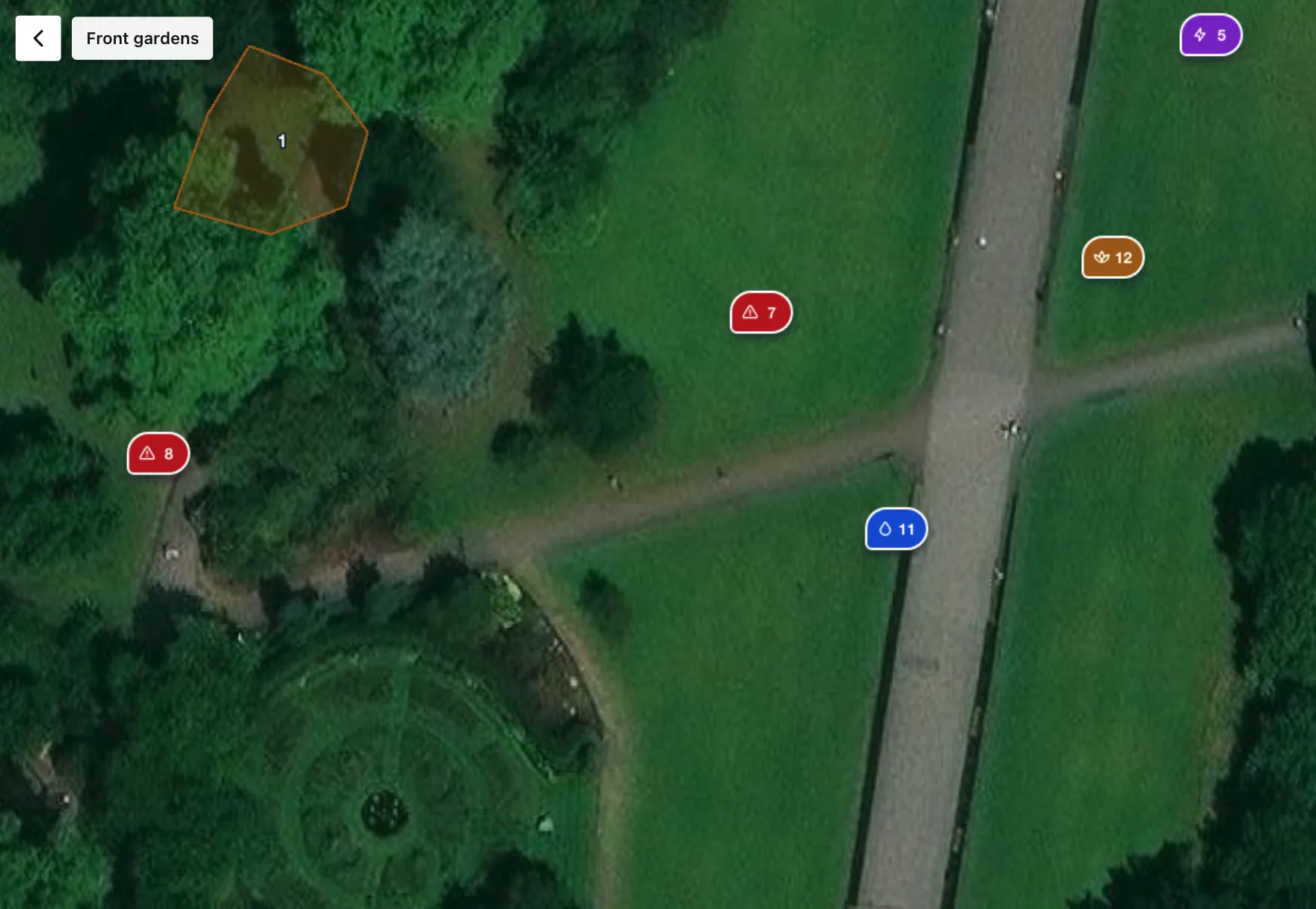
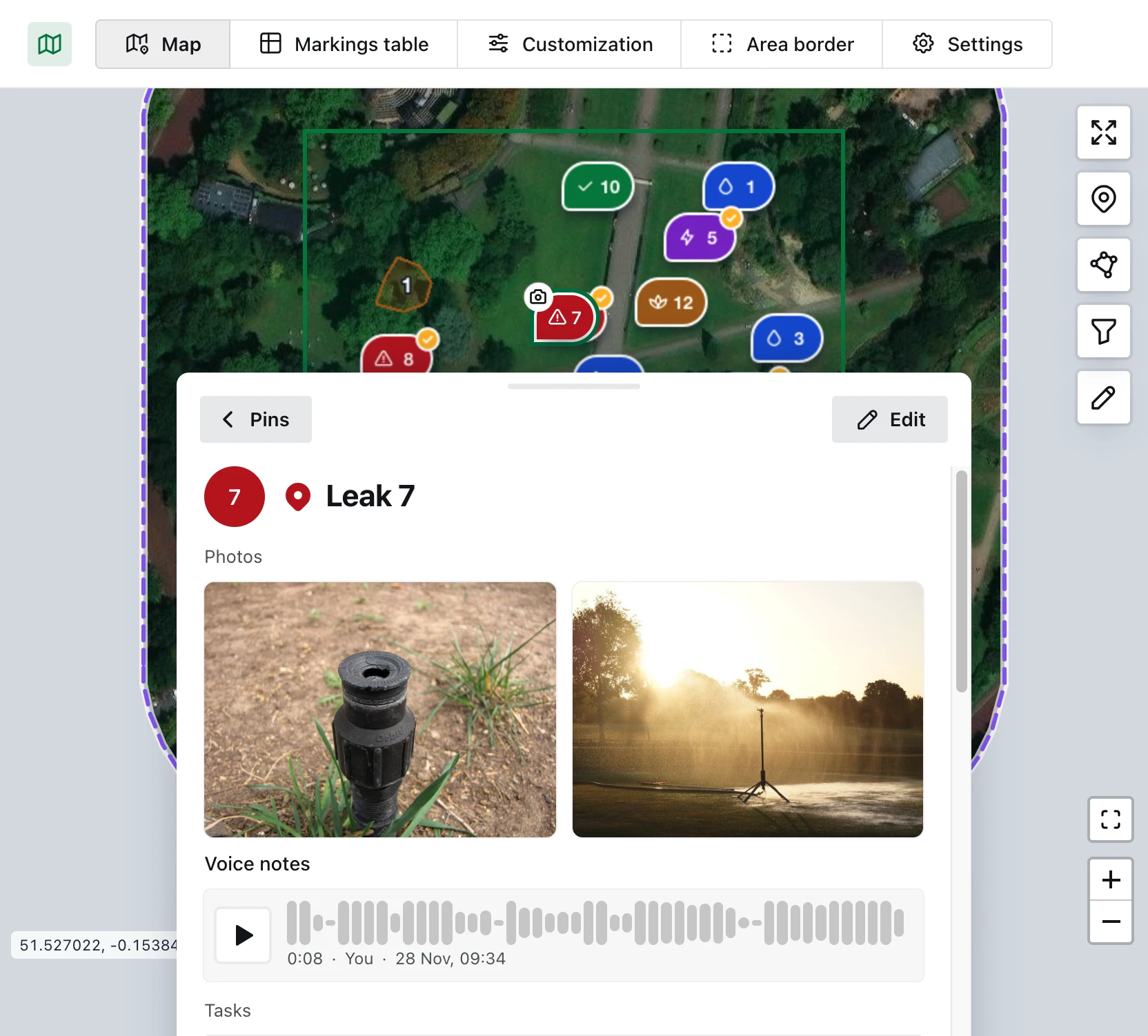
Each valve box is a numbered marking on the aerial photo of the property, and the map shows where you are standing. A new crew member finds it without asking anyone.
- Valves, shutoffs and controllers in their own colours
- Zone numbers and notes on every marking
- Shapes for lawns, beds and areas to reseed
Proof of service
Proof of every visit, with date, time and photos.
Each marking keeps the date and time it was recorded, with its photos. If a client says nobody came, send a view-only link and they check the site themselves.
- Photos saved at the spot where they were taken
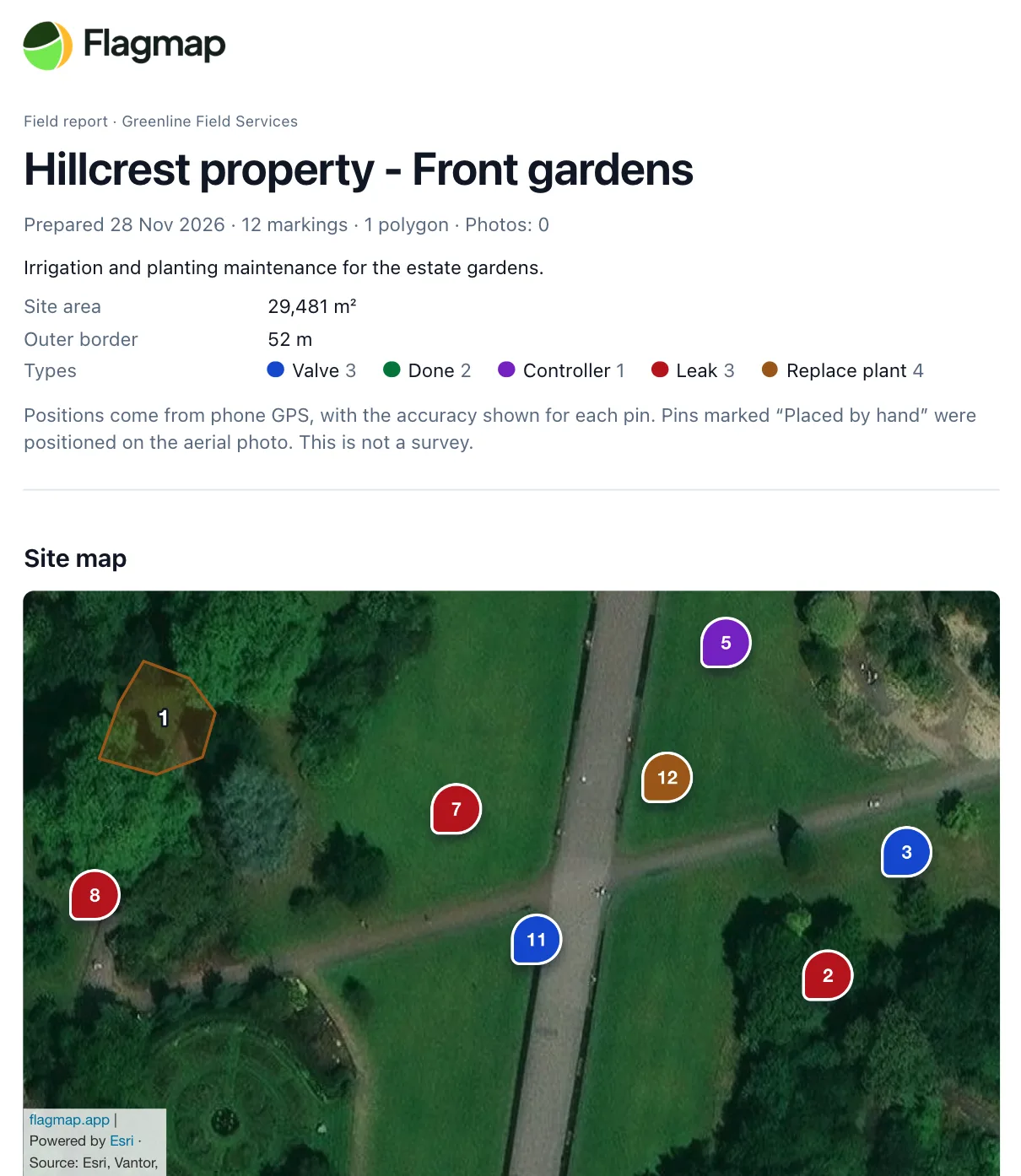
- A printed report of the visit when a client asks for one
- A link your client opens without an account
Tasks
Tasks that show your crew exactly where to go.
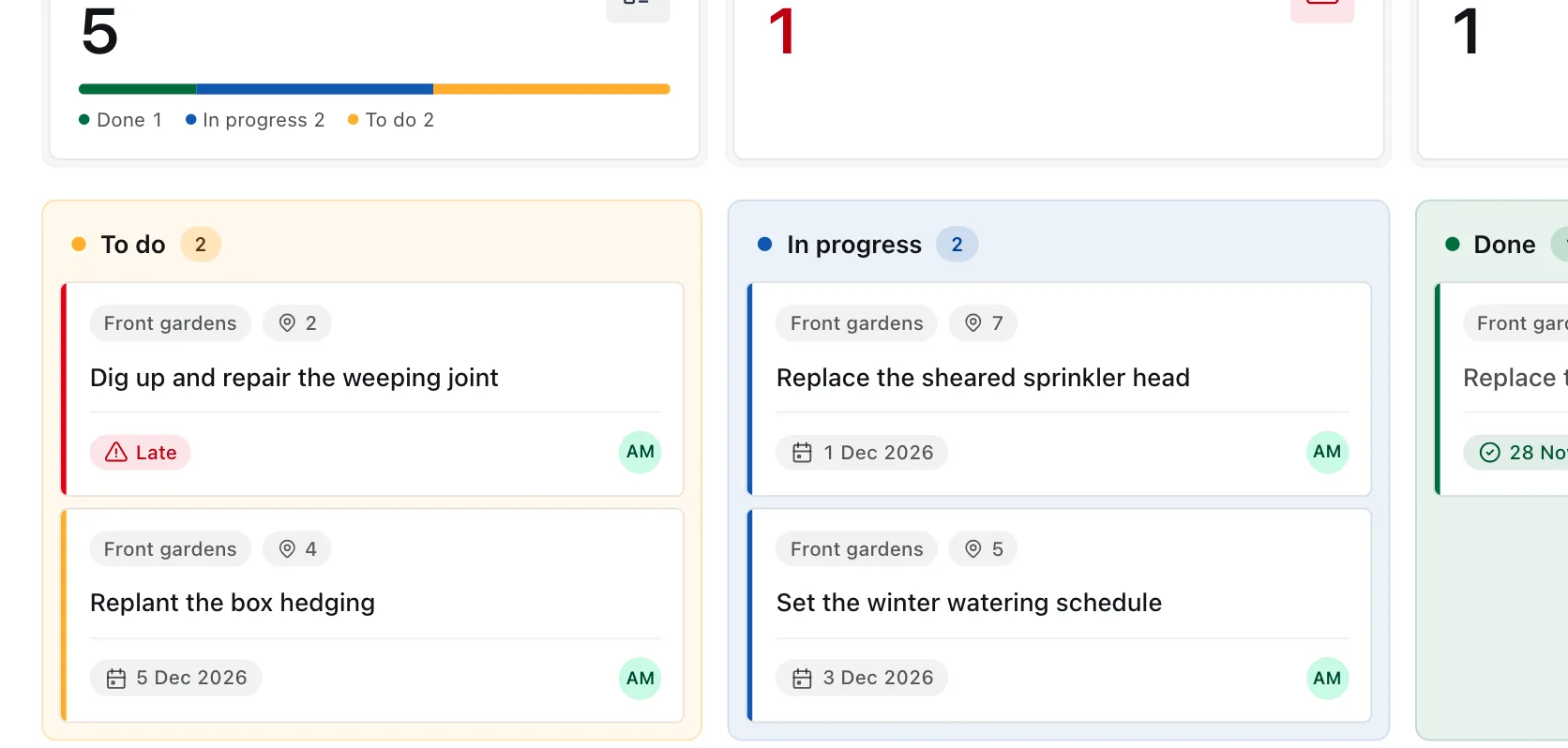
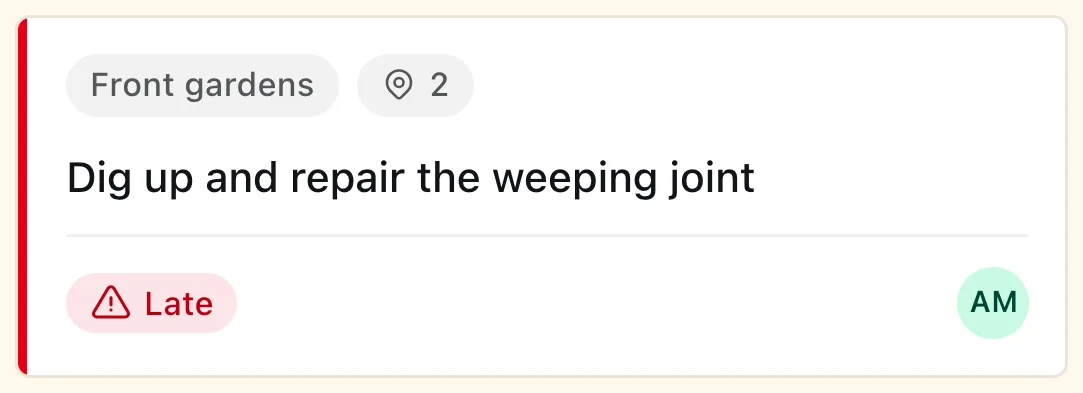
Turn any marking into a task for a crew member, with a due date. They see it on their list and on the map, and you see when it is done.
- Tasks assigned to a person with a due date Team plan
- A board of what is to do, in progress and done
- One shared map for everyone on the crew
On the phone
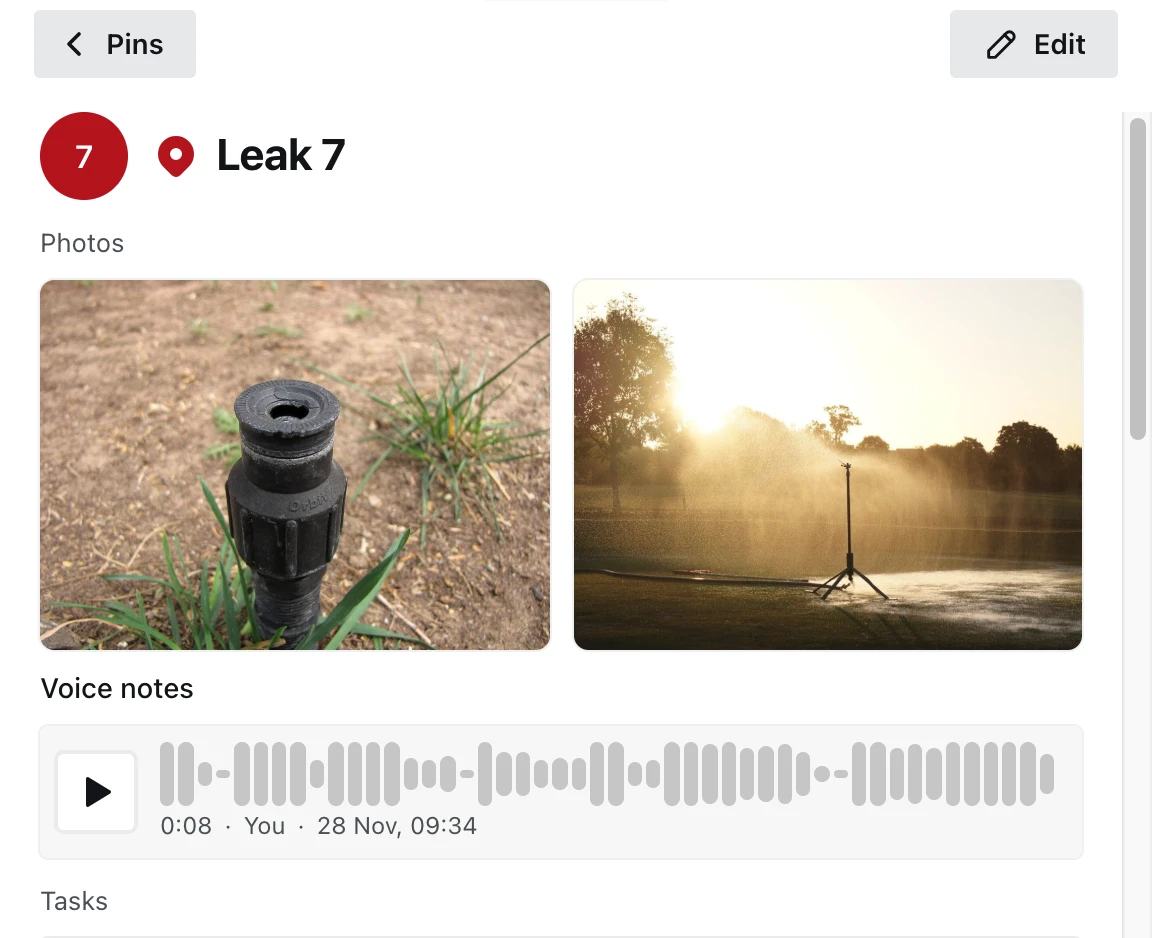
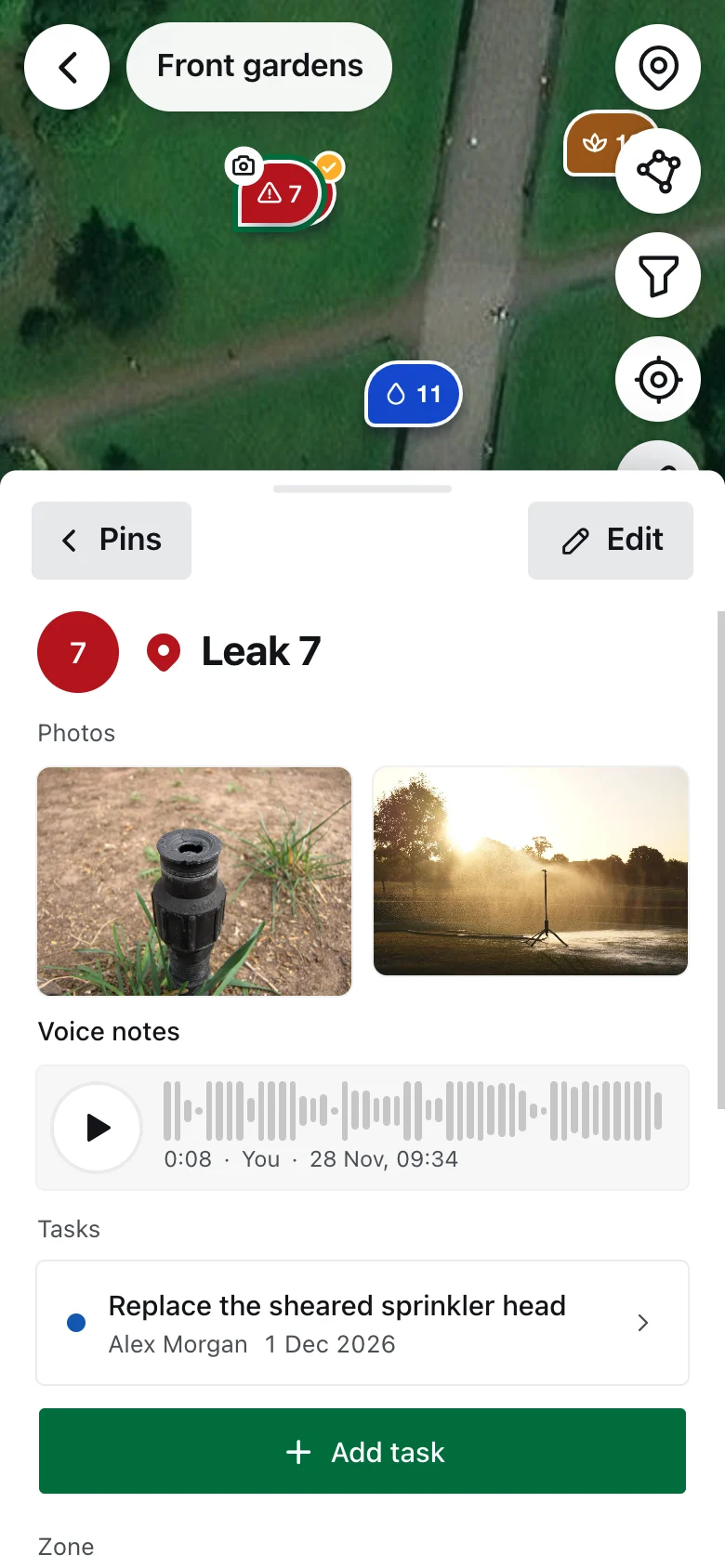
Each marking opens with its photos, notes and tasks.
Press a marking and its card shows the zone, what was done, the photos and any task that belongs to it. A voice note says the rest.
- Photos and voice notes on each marking
- A task for the repair, on the same marking Team plan
- Works offline and syncs when you are back online
What you record
Your own types and form, set up in minutes.
Create a type for each thing you record and the form fields you want filled in. These are examples to start from.
- Zone
- 4
- Fixed
- Yes
- Note
- Box under the hedge, lid green
- Zone
- 7
- Fixed
- No
- Note
- Weeping joint, dig and repair
- Zone
- 2
- Fixed
- No
- Note
- Three box balls dead, replace in autumn
What you hand over
A map of what is in the ground, for the client and the next crew.
Send a view-only link to the property's map, a spreadsheet of every valve and repair, or a printed report of the visit with its photos.
Spreadsheet
Every marking as a row with your columns, as a CSV file for Excel or Google Sheets.
PDF report
The site map and every marking with its details, printed or saved as a PDF.
View-only link
The live map, notes and photos for people outside your company, with no account.
Jobs it fits
Three jobs crews use it for.
Irrigation mapping
Every valve, shutoff and controller on the property, where it really is.
Read moreSite walk and punch list
Walk the property, mark what needs doing and assign it.
Read moreProof of service
Dated photos of each visit, at the spot they were taken.
Can I keep a separate map for each property?
Yes. Each property is its own site with its own border, types and form fields. On the Team plan you add as many as your work needs.
Can my client see only their own property?
Yes. A view-only link shows one project. Your client sees that property's map, notes and photos and nothing else.
My crew speaks several languages. Is that a problem?
Each person chooses their own language. FieldFlag has 58, including right-to-left languages.
Does it work with no signal?
Yes. Open the site once with signal and it works there with no signal after that. Your markings sync automatically when you are back online.
Can I get the data out?
Yes. Every site has a table you can download as a CSV file for Excel or Google Sheets, and a report with the site map that you print or save as a PDF.
Start today
Leave your next site with the paperwork done
Try FieldFlag on your next site visit. It is free for one person and one site, with no time limit.